
Status as of 30 October 2026. This is a fast-moving issue. We list what the PHP project and the vendors have confirmed, and we flag what we could not confirm. Check your panel vendor’s advisory before you act.
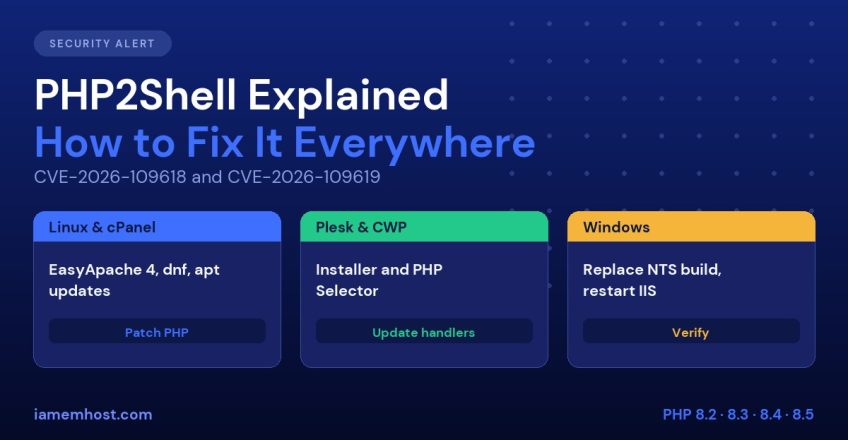
PHP2Shell is the name given to two critical vulnerabilities in the PHP engine itself: CVE-2026-109618 and CVE-2026-109619. They were disclosed by the PHP project on 21 October 2026, both carry a CVSS v4.0 score of 9.2, and they can allow an unauthenticated remote attacker to run code on a server through an ordinary web request. Because the bug is in PHP rather than in WordPress or any plugin, updating your CMS does not fix it. You must update the PHP runtime on every server and every PHP version you run. This guide explains what PHP2Shell is and how to fix it on core Linux servers, cPanel, Plesk, CWP Pro, Windows with Plesk and plain Windows with IIS.
What Is PHP2Shell?
The two CVEs are separate memory-safety problems in how PHP handles a request:
| CVE | Description (from the PHP advisory) |
|---|---|
| CVE-2026-109618 | Out-of-memory handling can interrupt PHP while internal request data is only partly initialised, and request cleanup may then treat the invalid data as valid |
| CVE-2026-109619 | Request-owned internal state can survive after its memory is freed, and a later request handled by the same worker may use that stale state before it is reset |
Key facts confirmed by the PHP project:
- The flaws affect PHP serving web requests through PHP-FPM, Apache mod_php, php-cgi, FrankenPHP and LiteSpeed. The risk is highest with mod_php
- Exploitation needs no login and can happen before any application code runs
- Security vendors reported that the code involved goes back many years (to PHP 5.4 by some accounts), so old, unsupported versions are affected as well
- Session upload progress, which is enabled by default, has been reported as one path to reach CVE-2026-109619
- Exploitation attempts began before patches were released, and reporting since then describes successful attacks, including servers being taken over. Reports from different vendors disagree on how widespread successful attacks are. Treat any internet-facing PHP server as a target
We could not find reliable, sourced indicators of compromise, such as specific webshell filenames, so no one should claim a clean bill of health from a filename search. The practical steps are to patch, restart and check for suspicious behaviour.
Which PHP Versions Are Fixed?
| PHP branch | Fixed release | Notes |
|---|---|---|
| 8.5 | 8.5.12 | |
| 8.4 | 8.4.27 | |
| 8.3 | 8.3.36 | |
| 8.2 | 8.2.35 | End of life on 31 December 2026 |
| 8.1, 8.0, 7.4 | No official release | Source-only backports published; vendors ship their own patched packages |
| 7.3 and older | No upstream fix | Only vendor backports (for example CloudLinux and some distributions) |
Important: vendors often backport the fix into an older version number. A package that says 8.1.x may be safe, and a scanner that only reads the version number may wrongly flag it. Confirm backports by checking the package changelog for the CVE IDs, as shown below.
Step 1: Find Out What PHP You Are Running
php -v shows the command-line PHP, which can differ from the PHP your websites use. List everything:
# RHEL / AlmaLinux / Rocky / CloudLinux
rpm -qa | grep -i php | sort
# Debian / Ubuntu
dpkg -l | grep -i php
# cPanel: every installed EasyApache PHP
ls /opt/cpanel/ | grep ea-php
Then check what a website really serves by placing a temporary phpinfo() page, and delete it afterwards. Note the PHP version, the handler (SAPI) and the value of session.upload_progress.enabled.
To check whether a package contains the fix:
# RPM based
rpm -q php-cli --changelog | grep -E "CVE-2026-109618|CVE-2026-109619"
# Debian / Ubuntu
apt changelog php8.3-cli | grep -E "CVE-2026-109618|CVE-2026-109619"
Step 2: Interim Mitigations (While You Schedule the Update)
The PHP project lists configuration changes that reduce exposure. They do not make a server safe, so use them only until you can patch.
- For CVE-2026-109619, set
session.upload_progress.enabled = 0inphp.inior the FPM pool configuration (not throughini_set()or.user.ini) and restart all PHP workers - For CVE-2026-109618, the advisory suggests setting
memory_limitto-1throughphp_admin_value, and limitingpost_max_sizeto 8M (or 32M if you need uploads). Setting no memory limit has side effects on shared servers, so weigh it carefully. Do not useRLIMIT_ASorRLIMIT_DATA; use cgroup limits instead - On PHP 8.5, set
fatal_error_backtraces = 0 - A web application firewall can block known exploit requests. Imunify360 shipped rules for this, and ModSecurity can help, but vendors describe these as interim measures only
Step 3: Fix It on Your Platform
Core Linux servers (no control panel)
Update from your distribution, or from the repository you installed PHP from (Remi, Sury and so on):
# AlmaLinux / Rocky / RHEL
dnf clean all && dnf upgrade "php*" -y
systemctl restart php-fpm httpd      # or nginx

# Debian / Ubuntu
apt update && apt upgrade -y
systemctl restart php8.3-fpm apache2 # use your PHP version and web server
Distributions confirmed fixes for supported releases, for example Ubuntu (php8.1 on 22.04 and php8.3 on 24.04), Debian (php8.2 on bookworm and php8.4 on trixie). RHEL-family errata may lag behind, so check for your release before assuming the update has arrived. If no patched package exists for an old branch, upgrade to a supported PHP version. Restart is not optional: a patched package on disk does not protect a worker process that is still running the old code.
cPanel and WHM
According to cPanel’s announcement, EasyApache 4 version 25.91 (21 October) updated ea-php82 to 8.2.35, ea-php83 to 8.3.36, ea-php84 to 8.4.27 and ea-php85 to 8.5.12, and ea-php74, ea-php80 and ea-php81 received backported fixes. EA4 PHP 7.3 and older packages received no fix. cPanel also released updated WHM builds, because cPanel’s own interface runs on a bundled PHP.
cPanel’s announcement says to apply updates through your normal update process. On most servers that means:
/scripts/upcp --force               # update cPanel / WHM
dnf clean all && dnf upgrade "ea-php*" -y
/scripts/restartsrv_httpd
/scripts/restartsrv_apache_php_fpm
In WHM, open Software » EasyApache 4 and confirm every installed PHP package is current, and Software » MultiPHP Manager to find domains still on an old version. Move sites off PHP versions that have no fix. On CloudLinux servers, the ea-php packages are fixed in the stable repository, and sites may use alt-php through PHP Selector, so update those too (dnf upgrade "alt-php*"). Check CloudLinux’s notice for the exact versions on your release.
Plesk on Linux
Plesk has published patched PHP handlers and a fixed version of the PHP that runs the Plesk interface. Update Plesk and its PHP handlers from the installer (these are the standard installer options; confirm against Plesk’s advisory for your version):
plesk installer --select-release-current --show-components
plesk installer --select-release-current --upgrade-installed-components
You can also use Tools & Settings » Updates in the panel, and then open Tools & Settings » PHP Settings to confirm each handler shows a fixed build. If you installed PHP handlers from OS repositories (for example Remi or Sury) rather than Plesk’s own, update those packages with dnf or apt as shown above. Plesk’s backported builds for PHP 7.4, 8.0 and 8.1 are meant as a bridge, so plan to move customers to a supported branch. See Plesk troubleshooting if services fail to restart cleanly, and Plesk security hardening.
CWP Pro (Control Web Panel)
We could not find a vendor advisory or published CWP-specific commands at the time of writing, so check the CWP forum and changelog for official guidance. In general, CWP uses PHP Selector, system packages and, for some versions, PHP built from source, so you need to update each source separately:
- In CWP Admin » PHP Settings » PHP Selector, check which versions are installed and rebuild or update those that have a fixed release
- Update system PHP packages with
dnf upgrade "php*"where you use distribution PHP - Restart PHP-FPM and Apache or nginx from CWP’s Services Config or the command line
- Verify the served version with a temporary
phpinfo()page for a site on each version
If CWP has no fixed build for a branch yet, apply the interim mitigations, restrict who can reach the server with a WAF and move sites to a branch that has a fix.
Windows with Plesk
Plesk for Windows ships its own PHP handlers (FastCGI), and Plesk has said that fixed handlers are available for Windows. Run Tools & Settings » Updates, install the available updates for PHP handlers and the Plesk panel and then verify under PHP Settings that each handler shows a fixed version. We could not confirm the exact Windows build numbers from Plesk’s own pages, so rely on its advisory. Test sites on each PHP version afterwards, because handler updates can change behaviour on old applications.
Windows Server with IIS (manual PHP)
The PHP project recommends the Non-Thread-Safe (NTS) builds for IIS with FastCGI. The current fixed builds are 8.5.12, 8.4.27, 8.3.36 and 8.2.35. The Windows packages were rebuilt on 26 October for an unrelated Brotli issue, so download the latest build from windows.php.net or php.net and verify the checksum. Then:
- Stop the IIS site or application pool (or run
iisresetin a maintenance window) - Back up the current PHP folder and your
php.ini - Extract the new NTS zip to a fresh folder, copy your existing
php.iniand extensions across and check any extension DLLs match the new version - Point the FastCGI handler mapping to the new
php-cgi.exe - Start IIS and test every site
Do not forget extra copies of php.exe or php-cgi.exe bundled inside application folders, which are easy to miss. If sites break after you start returning HTTP 500 errors, see our IIS troubleshooting guide.
Step 4: Verify the Fix
- Confirm the new version on every handler with a temporary
phpinfo()(remove it right after) - For backported packages, confirm the CVE IDs appear in the changelog
- Check that long-running workers were restarted:
ps -o lstart,cmd -C php-fpmshould show start times after the update - Remove or retire PHP versions you no longer need
Step 5: Check for Signs of Compromise
Because exploitation started before patches existed, a server that was exposed from 17 October (the earliest reported exploitation) until the day you patched should be checked. There are no reliable public file signatures yet, so look for behaviour:
# Web server or PHP processes that spawned shells or downloaders
ps -eo user,pid,ppid,cmd | grep -E "(sh|bash|wget|curl)" | grep -E "apache|nobody|php"

# New PHP files in writable locations
find /home /var/www -type f -name "*.php" -newermt "2026-10-17" -ls | head -100

# Recently changed files owned by the web user outside normal paths
find /tmp /var/tmp /dev/shm -type f -newermt "2026-10-17" -ls

# Outbound connections from web processes
ss -tnp | grep -E "php|httpd|nginx|apache"
Also review web access logs for unusual POST floods and for requests carrying large session-upload data around the time of disclosure, and check for new cron jobs and SSH keys. If you find evidence of compromise, follow the process in our hacked cPanel account recovery guide, and treat the server as potentially compromised at root level, because attackers have chained this bug with a Linux kernel flaw in reported incidents. Keep your kernel updated as well.
Reduce Your Exposure Going Forward
- Move to supported PHP versions (8.3 or 8.4 today). End-of-life branches get no upstream fixes
- Use a WAF such as ModSecurity, Imunify360 or Cloudflare
- Use PHP-FPM with per-site pools rather than mod_php, and disable dangerous PHP functions
- Enable automatic security updates, as in our Linux server hardening guide
- Keep tested off-server backups: How to Back Up a Linux Server
If you would rather not do this yourself, our managed server services can apply and verify these updates on your VPS.
Frequently Asked Questions
What is PHP2Shell?
PHP2Shell is the name for two critical PHP engine vulnerabilities, CVE-2026-109618 and CVE-2026-109619, that can let an unauthenticated attacker execute code through a web request. The PHP project announced and fixed them on 21 October 2026.
Does updating WordPress or plugins fix PHP2Shell?
No. The flaw is in the PHP runtime. You must update PHP itself, or the vendor package, and restart the PHP workers.
Is PHP-FPM affected, or only mod_php?
Both are affected. The PHP project lists FPM, mod_php, php-cgi, FrankenPHP and LiteSpeed, with the highest risk for mod_php.
My scanner says my PHP is still vulnerable after updating. Why?
Vendors backport fixes into older version numbers, so a scanner that reads only the version string can raise a false alarm. Confirm the CVE IDs in the package changelog.
Are PHP 7.4 and 8.1 safe?
Only if your vendor has shipped a backported fix. Upstream provides no official binaries for them. Plan an upgrade to a supported branch.
Do I need to restart anything after patching?
Yes. Restart PHP-FPM, Apache or nginx and any application workers, otherwise old processes keep running the vulnerable code.