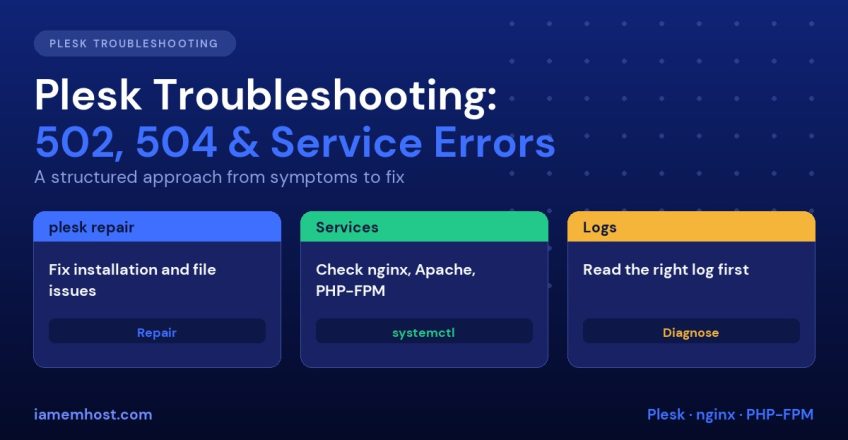

Plesk is stable when it works, but when a site shows 502 Bad Gateway, a panel login hangs, or the whole control panel refuses to load, the number of moving parts (nginx, Apache, PHP-FPM, MariaDB, the panel’s own services) makes it hard to know where to start. The good news is that most failures fall into a handful of patterns, and Plesk ships with a powerful command line repair tool. This Plesk troubleshooting guide gives you a repeatable method, then covers the specific errors you will meet most often.
Understand the Plesk Request Path
On a default Linux Plesk server, a website request travels through several layers, and a failure at any one produces a different error:
| Layer | Service name | Fails with |
|---|---|---|
| Front-end proxy | nginx | Connection refused, wrong certificate |
| Back-end web server | apache2 (Debian/Ubuntu) or httpd (RHEL) | 502 from nginx when Apache is down |
| PHP handler | plesk-php83-fpm (version varies) | 502, 503 or 504, blank page |
| Database | mariadb or mysql | “Error establishing a database connection” |
| Panel itself | sw-engine, psa | Cannot log in to port 8443 |
postfix, dovecot | Delivery and login failures |
Always start by establishing which layer is broken before changing anything.
Plesk Troubleshooting Step 1: Check the Services
# Status of all Plesk-managed services
plesk bin service --status

# Individual checks
systemctl status nginx
systemctl status sw-engine
systemctl status mariadb
systemctl list-units --type=service --state=failed
Restart a failed service and read why it failed:
systemctl restart nginx
journalctl -u nginx --since "30 minutes ago" --no-pager | tail -50
Step 2: Run Plesk Repair
The plesk repair utility checks and fixes the most common problems automatically. Take a snapshot or backup first, then run:
# Repair everything (interactive; answer y to apply fixes)
plesk repair all -y

# Targeted repairs
plesk repair web -y            # web server configs, vhosts
plesk repair db -y             # Plesk database consistency
plesk repair mail -y           # mail server configuration
plesk repair installation -y   # missing files, wrong permissions, packages
plesk repair dns -y            # DNS zones
plesk repair web is the one that solves a large share of 502 and 404 problems, because it regenerates Apache and nginx configuration for every domain. If a single domain is broken, regenerate just that one:
plesk repair web -domain example.com -yFixing 502 Bad Gateway
A 502 means nginx could not get a valid response from the upstream (Apache or PHP-FPM). Work through these in order:
- Is Apache running?
systemctl status apache2(orhttpd). If it crashed, checkjournalctland/var/log/apache2/error.log. - Is PHP-FPM for that domain’s PHP version running? Run
systemctl list-units | grep plesk-php. Restart the specific one, for examplesystemctl restart plesk-php83-fpm. - Did the PHP-FPM pool run out of workers? Look for
server reached pm.max_childrenin/var/log/plesk-phpfpm/error.log. Raise it under Domains » example.com » PHP Settings » Performance settings. - Out of memory? The kernel may have killed Apache or PHP. Search with
dmesg -T | grep -i "killed process". See our guide to fixing high CPU and memory usage on a Linux VPS. - Broken configuration after a change? Test with
nginx -tandapachectl configtest, thenplesk repair web.
Fixing 504 Gateway Timeout
A 504 means the upstream was reachable but too slow. The usual causes are a long-running script, a slow database query or an overloaded server. In Plesk, increase the timeouts for the domain under Apache & nginx Settings:
# Additional nginx directives
proxy_read_timeout 300;
proxy_connect_timeout 60;
fastcgi_read_timeout 300;
Raising a timeout hides the symptom, so also find the slow request. Enable the PHP-FPM slow log in the domain’s PHP settings or check the MariaDB slow query log. Our MySQL and MariaDB performance tuning guide covers this.
Fixing “Unable to Connect to Database Server”
This error in the Plesk login page almost always means the Plesk psa database or MariaDB is down.
systemctl status mariadb
plesk db "SELECT 1"
tail -50 /var/log/mariadb/mariadb.log
Common causes are a full disk (df -h), an InnoDB crash after power loss, or a corrupted psa database. Do not delete InnoDB log files blindly. If the disk is full, free space first, restart MariaDB and then run plesk repair db. For corrupted tables, restore only from a verified backup rather than experimenting on the live psa database.
Panel Not Loading on Port 8443
If sites work but the panel does not:
systemctl restart sw-engine sw-cp-server
ss -tlnp | grep 8443
tail -30 /var/log/sw-cp-server/error_log
tail -30 /var/log/plesk/panel.log
Also check that your firewall allows 8443, and that you have not been banned by Fail2Ban after failed logins. Check with plesk bin ip_ban --list and unban an address with plesk bin ip_ban --unban 203.0.113.10.
Where the Important Logs Live
| Problem area | Log file |
|---|---|
| Panel | /var/log/plesk/panel.log, /var/log/sw-cp-server/error_log |
| Domain web errors | /var/www/vhosts/example.com/logs/error_log |
| Apache global | /var/log/apache2/error.log or /var/log/httpd/error_log |
| nginx | /var/log/nginx/error.log |
| PHP-FPM | /var/log/plesk-phpfpm/ |
/var/log/maillog or /var/log/mail.log | |
| Updates | /var/log/plesk/install/ |
| Repair history | /var/log/plesk/repair.log |
Fixing Permissions and Ownership
Wrong ownership after a manual migration causes 403 and 500 errors. Plesk can reset it for you:
plesk repair fs -y
# or one domain only
plesk repair web -domain example.com -y
Avoid running chmod -R 777. It does not fix anything permanently and opens a security hole. For background see Linux file permissions explained.
A Quick Troubleshooting Checklist
- Check disk (
df -h,df -i) and memory (free -m) - List failed services (
systemctl --failed) - Read the relevant log for the last 30 minutes
- Run
plesk repair weborplesk repair all - Reproduce on a single domain to separate site problems from server problems
- Only then restart services or reboot
If you are planning to move from another panel, see our cPanel to Plesk migration guide, and for a fresh install, How to Install and Secure Plesk Obsidian.
Frequently Asked Questions
Is it safe to run plesk repair all?
Yes, it is designed to be safe and asks before each change unless you use -y. Still, take a backup or snapshot first on production servers.
Why does nginx show 502 only for one domain?
A single-domain 502 usually means that domain’s PHP-FPM pool is stopped, misconfigured or out of workers. Check its PHP version and handler, then run plesk repair web -domain for that domain.
How do I restart Plesk completely?
Use plesk restart or systemctl restart psa. This restarts all Plesk services without rebooting the server.
Does Plesk have a built-in log viewer?
Yes. Domains » example.com » Logs shows access and error logs for each site, and Tools & Settings » Logs covers the panel and server components.