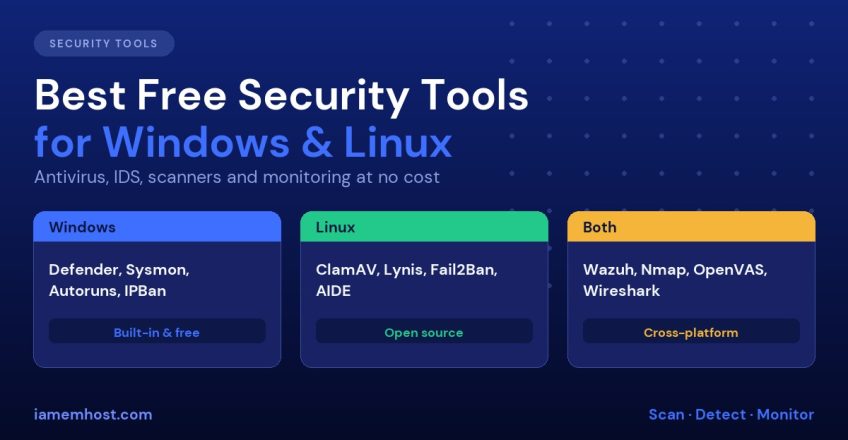

Good server security does not require an enterprise budget. A large share of the tools that professional security teams use every day are free and open source, and Windows ships with a capable security stack at no extra charge. The hard part is knowing which tools do what, and which ones overlap. This guide groups the best free security tools for Windows and Linux servers by purpose: protection, hardening checks, intrusion detection, vulnerability scanning and monitoring. For each one you will see what it is good for and where it falls short.
Free tools are not a substitute for patching, strong authentication and backups. Treat them as an extra layer on top of the basics described in our Linux server hardening guide and Windows Server hardening checklist.
How to Choose: Match the Tool to the Job
| Need | Windows | Linux |
|---|---|---|
| Malware protection | Microsoft Defender | ClamAV, Linux Malware Detect |
| Rootkit checks | Defender Offline, GMER | rkhunter, chkrootkit |
| Hardening audit | Microsoft Security Compliance Toolkit | Lynis, OpenSCAP |
| Brute-force blocking | IPBan, EvlWatcher | Fail2Ban, CrowdSec |
| Host intrusion detection | Wazuh agent, OSSEC | Wazuh, OSSEC, AIDE, auditd |
| Network intrusion detection | Suricata, Snort | Suricata, Snort, Zeek |
| Vulnerability scanning | OpenVAS, Nessus Essentials | OpenVAS, Trivy, Nmap |
| Activity logging | Sysmon | auditd |
Free Security Tools for Windows
Microsoft Defender Antivirus
Built into Windows Server 2016 and later, it has real-time protection, cloud lookups, tamper protection and Attack Surface Reduction rules. For most servers it is all the antivirus you need, provided updates and real-time protection are on. Check status with Get-MpComputerStatus.
Sysinternals Suite
Free from Microsoft, and essential for any Windows admin:
- Process Explorer shows which process owns a file, handle or network connection
- Autoruns lists everything that starts at boot or login, the first place to look for persistence
- TCPView shows live connections per process
- Sysmon logs process creation, network connections and file changes to the event log, far beyond what default logging provides
IPBan and EvlWatcher
Windows has no built-in Fail2Ban. These free tools watch failed-logon events and block attacking addresses in the firewall. They are especially useful if RDP is reachable, as described in Windows Server RDP security.
Microsoft Security Compliance Toolkit
Free baseline GPOs and the Policy Analyzer compare your server’s settings against Microsoft’s recommended security configuration.
IIS Crypto
A small free tool that sets TLS versions and cipher suites on Windows with one click, using best-practice templates.
Malwarebytes Free and similar on-demand scanners
Useful as a second-opinion scanner on a suspected workstation. Note that the free version of most such products does not provide real-time protection, and licence terms usually forbid use on commercial servers.
Free Security Tools for Linux
ClamAV
The standard open-source antivirus engine. It excels at scanning mail attachments and uploaded files, and detecting PHP web shells with the right signatures, though detection rates for new threats trail commercial products.
dnf install clamav clamd clamav-update -y     # or: apt install clamav clamav-daemon
freshclam
clamscan -ri /home --exclude-dir=mail
Linux Malware Detect (Maldet)
Built for shared hosting. It uses signatures drawn from real attacks on web hosts, integrates with ClamAV and can scan new uploads using inotify. A good fit for cPanel and Plesk servers. See our hacked cPanel account guide for it in use.
rkhunter and chkrootkit
Scan for known rootkits, suspicious file permissions and altered system binaries. They produce false positives after package updates, so review warnings before acting.
Lynis
A security auditing tool that checks hundreds of settings and gives a hardening score with specific suggestions. Run it after every major configuration change.
lynis audit systemOpenSCAP and the SCAP Security Guide
Evaluate a server against CIS or DISA STIG profiles and generate an HTML report, which is useful for compliance evidence.
Fail2Ban and CrowdSec
Fail2Ban bans addresses based on log patterns on your own server. CrowdSec adds a shared community blocklist, so you benefit from attacks seen elsewhere. See Fail2Ban explained.
AIDE and auditd
AIDE detects changed files against a cryptographic baseline, while auditd records who changed what. Together they form a powerful, free integrity layer: Auditd and Log Monitoring on Linux.
CSF and ConfigServer tools
A friendly firewall front-end for iptables with login-failure detection, widely used on cPanel servers. See Install CSF Firewall. Note that ConfigServer announced it was closing in 2025, so check that the build you rely on is still maintained for your platform.
Cross-Platform Free Security Tools
Wazuh
An open-source security platform that combines host intrusion detection, log analysis, file-integrity monitoring, vulnerability detection and compliance checks. Agents run on Windows and Linux and report to one dashboard. It is the closest free equivalent to a commercial SIEM for small teams.
OSSEC
The original open-source HIDS that Wazuh grew from. Lighter than Wazuh, with fewer features.
Suricata and Snort
Network intrusion detection and prevention engines. Suricata is multi-threaded and supports modern protocols well. Both can run on a firewall such as pfSense; see pfBlockerNG on pfSense.
OpenVAS / Greenbone Community Edition
A full vulnerability scanner that checks servers for missing patches and misconfigurations. Schedule scans of your own servers monthly.
Nmap
The standard port scanner. Run it against your own servers from outside to confirm that only intended ports are open:
nmap -sS -sV -p- your.server.ipWireshark
A packet analyser for diagnosing network problems and suspicious traffic.
Trivy
Scans container images, filesystems and dependencies for known vulnerabilities, valuable for Docker hosts.
KeePassXC and Bitwarden
Free password managers with strong encryption, so admins stop reusing credentials.
A Practical Free Security Stack for a Small Hosting Server
- Operating system and application patching on a schedule
- Firewall (firewalld, CSF or Windows Firewall) with default deny
- Fail2Ban/CrowdSec on Linux; IPBan on Windows
- ClamAV and Maldet (Linux) or Defender (Windows) for malware
- Lynis or OpenSCAP monthly; Security Compliance Toolkit on Windows
- Wazuh for central alerts, file-integrity and vulnerability data
- Nmap and OpenVAS scans of your own servers monthly
- Off-server backups with tested restores
Limits of Free Tools
- No support: you rely on documentation and community forums
- Time cost: free software costs you configuration and tuning time
- Detection gaps: signature-based tools miss novel malware, so layer defences
- Licence terms: some “free” products are for personal use only. Always check before using them on a commercial server
- Alert fatigue: untuned tools produce noise, so start with a few and tune them
If you prefer these managed for you, Imunify360 is included free with IAMEM hosting; see Imunify360 Now Included.
Frequently Asked Questions
Is free antivirus enough for a server?
On Windows, Microsoft Defender is sufficient for most servers. On Linux, ClamAV plus Maldet covers web content. Add monitoring and patching, because antivirus alone does not stop intrusions.
What is the best free intrusion detection system?
Wazuh is the most complete free option for hosts, covering both Windows and Linux. Suricata is the usual choice for network traffic.
Do Linux servers need antivirus?
Linux malware exists, and web servers often host or relay malicious files. Scanning uploaded content and websites with ClamAV or Maldet is worthwhile.
Which free tool gives the quickest security improvement?
Lynis on Linux and the Security Compliance Toolkit on Windows. Both tell you exactly which settings to fix.