
The PHP OCI8 extension allows PHP to connect to Oracle databases. This guide covers installation on cPanel EasyApache 4 (EA4) servers — the legacy EasyApache 3 method is obsolete. You will need Oracle Instant Client packages from Oracle’s website.
Prerequisites
- Download Oracle Instant Client packages (Basic and Devel) from Oracle’s Instant Client downloads — requires a free Oracle account
- Root SSH access to the cPanel server
- PHP build tools available (php-devel for your EA4 PHP version)
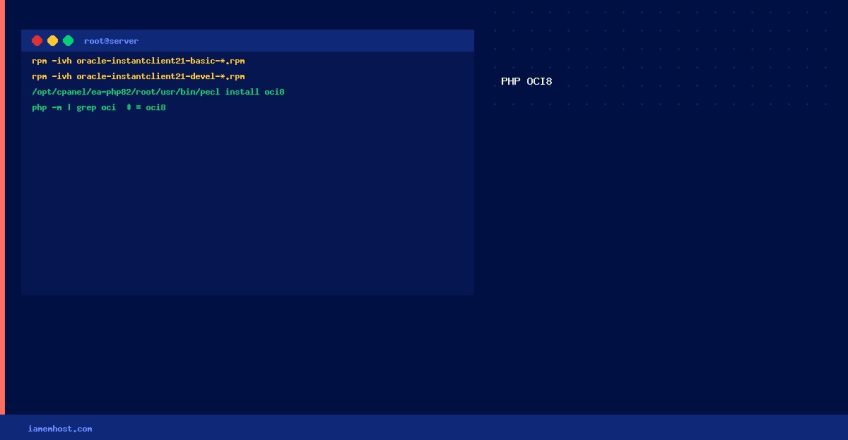
Step 1 — Install Oracle Instant Client
# Upload RPMs to server, then install (replace version as needed)
rpm -ivh oracle-instantclient21-basic-21.x.x.x-1.x86_64.rpm
rpm -ivh oracle-instantclient21-devel-21.x.x.x-1.x86_64.rpm

# Verify installation
ls /usr/lib/oracle/
Step 2 — Set Oracle Environment Variables
# Add to /etc/profile.d/oracle.sh
cat > /etc/profile.d/oracle.sh << 'EOF'
export ORACLE_HOME=/usr/lib/oracle/21/client64
export LD_LIBRARY_PATH=$ORACLE_HOME/lib:$LD_LIBRARY_PATH
export PATH=$ORACLE_HOME/bin:$PATH
EOF
source /etc/profile.d/oracle.sh
Step 3 — Install OCI8 via PECL for EA4
# Install for PHP 8.2 (replace 82 with your PHP version)
yum install ea-php82-php-devel -y

# Install OCI8 via PECL
/opt/cpanel/ea-php82/root/usr/bin/pecl install oci8
# When prompted, enter: instantclient,/usr/lib/oracle/21/client64/lib

# Create extension config
echo "extension=oci8.so" > /opt/cpanel/ea-php82/root/etc/php.d/oci8.ini
Step 4 — Verify
/opt/cpanel/ea-php82/root/usr/bin/php -m | grep -i oci
# Should show: oci8
Test Connection
<?php
$conn = oci_connect('db_user', 'password', '//oracle-server:1521/ORCL');
if (!$conn) {
    $e = oci_error();
    echo "Connection failed: " . $e['message'];
} else {
    echo "Connected to Oracle successfully!";
    oci_close($conn);
}
Adding Persistent Static Routes on Linux (nmcli and Route Files)
IAMEM HOSTING HOSTtcpkill: Kill Active TCP Connections from a Specific IP on Linux
IAMEM HOSTING HOST