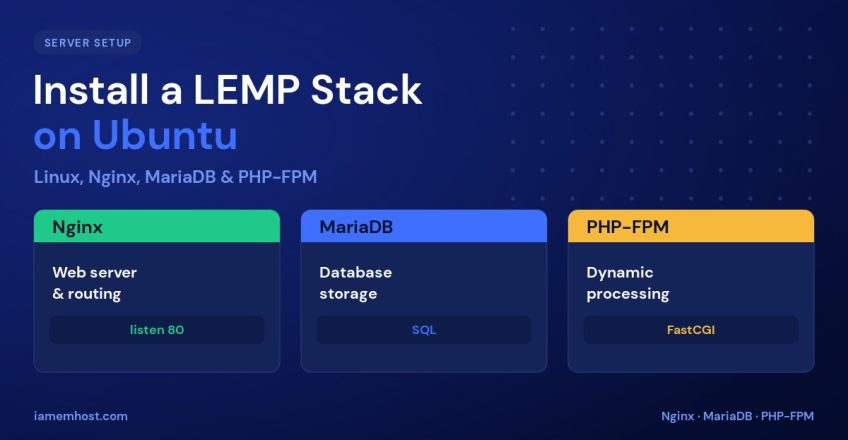

The LEMP stack is one of the most popular foundations for serving dynamic websites: Linux, Enginx (pronounced “engine-x,” hence the E), MySQL/MariaDB, and PHP. It powers everything from WordPress sites to custom applications, prized for Nginx’s speed under load. This guide walks you through installing and configuring a complete LEMP stack on Ubuntu, then testing that PHP processing works end to end.
Before You Begin
You’ll need an Ubuntu server (22.04 or 24.04), a user with sudo privileges, and a domain or IP pointed at the server. Start by refreshing the package index:
sudo apt update && sudo apt upgrade -yStep 1: Install Nginx
sudo apt install nginx -y
sudo systemctl enable --now nginx

# Allow HTTP/HTTPS through the firewall
sudo ufw allow 'Nginx Full'
Visit http://your-server-ip in a browser — you should see the default Nginx welcome page, confirming the web server is live.
Step 2: Install MariaDB
sudo apt install mariadb-server -y
sudo systemctl enable --now mariadb

# Lock down the default install
sudo mysql_secure_installation
The mysql_secure_installation script lets you set a root password, remove anonymous users, and drop the test database. Answer yes to the security prompts.
Step 3: Install PHP-FPM
Unlike Apache, Nginx has no built-in PHP processor, so we use PHP-FPM (FastCGI Process Manager). Install it along with the MySQL extension:
sudo apt install php-fpm php-mysql -y

# Note the PHP version for the socket path
php -v
Step 4: Configure an Nginx Server Block
Create a server block so Nginx serves your site and hands .php files to PHP-FPM. Create /etc/nginx/sites-available/example.com:
server {
    listen 80;
    server_name example.com www.example.com;
    root /var/www/example.com;
    index index.php index.html;

    location / {
        try_files $uri $uri/ /index.php?$args;
    }

    location ~ \.php$ {
        include snippets/fastcgi-php.conf;
        fastcgi_pass unix:/run/php/php8.3-fpm.sock;
    }

    location ~ /\.ht {
        deny all;
    }
}
Match the fastcgi_pass socket to your installed PHP version. Enable the site and reload:
sudo mkdir -p /var/www/example.com
sudo ln -s /etc/nginx/sites-available/example.com /etc/nginx/sites-enabled/
sudo nginx -t          # test the configuration
sudo systemctl reload nginx
Step 5: Test PHP Processing
echo "<?php phpinfo(); ?>" | sudo tee /var/www/example.com/info.phpVisit http://example.com/info.php — the PHP information page confirms Nginx and PHP-FPM are talking to each other. Delete the file afterwards, as it exposes server details:
sudo rm /var/www/example.com/info.phpNext Steps
- Secure the site with a free Let’s Encrypt certificate via Certbot.
- Create a dedicated database and user for your application.
- Tune PHP-FPM’s
pm.max_childrento match your RAM. - Set correct ownership:
chown -R www-data:www-data /var/www/example.com.
Conclusion
You now have a working LEMP stack: Nginx serving requests, MariaDB storing data, and PHP-FPM processing dynamic code. The key step is the server block that links Nginx to PHP-FPM via the correct socket. Add SSL and a database for your app, and this stack will comfortably run WordPress or any modern PHP application.