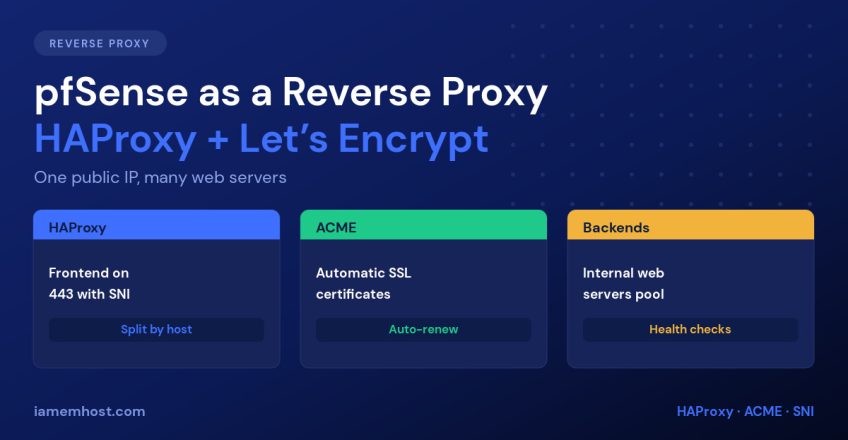

You have one public IP address and five internal web servers. You need each to answer on its own hostname over HTTPS, with valid certificates that renew themselves. The clean solution is a reverse proxy on the firewall: pfSense’s HAProxy package terminates TLS on port 443, reads the requested hostname, and routes each request to the right backend — while the ACME package issues and renews Let’s Encrypt certificates automatically. This guide sets the whole thing up.
Why Put the Reverse Proxy on the Firewall
- One IP, many sites. TLS SNI lets HAProxy see the requested hostname before decrypting, so a single 443 forward serves every backend.
- Certificates in one place. ACME issues and renews all of them on pfSense; your backend servers never need to know about SSL.
- Backends stay private. No port forwards to individual servers, no internal hosts exposed directly to the internet.
- Health checks and failover. HAProxy stops sending traffic to a backend that stops responding.
- A choke point for defence. Rate limiting, IP blocking and header rewriting all happen before traffic reaches your applications.
Step 1: Install the Packages
Go to System » Package Manager » Available Packages and install haproxy and acme. Both appear under the Services menu afterwards.
Before going further, make sure the pfSense web GUI is not on port 443 — HAProxy needs it. Under System » Advanced » Admin Access, move the GUI to something like 8443.
Step 2: Issue a Let’s Encrypt Certificate with ACME
Under Services » Acme Certificates » Account keys, create an account against the Let’s Encrypt staging server first. Staging has generous rate limits, so you can get the configuration wrong a few times without being locked out for a week. Switch to production once a staging issue succeeds.
Then add a certificate and choose a validation method:
| Method | How it validates | Use when |
|---|---|---|
| DNS-01 (recommended) | ACME creates a TXT record via your DNS provider’s API | Always, if your provider is supported — needs no inbound ports and supports wildcards |
| HTTP-01 (standalone) | ACME opens a temporary listener that Let’s Encrypt connects to on port 80 | No DNS API available |
| HTTP-01 via HAProxy | HAProxy forwards /.well-known/acme-challenge/ to the ACME listener | HAProxy already owns port 80 |
Use DNS-01 wherever you can. It works even when port 80 is unreachable, and it’s the only method that can issue a wildcard certificate such as *.example.com — which means one certificate covers every backend you add later.
Set the renewal interval to 60 days and add a restart action so HAProxy reloads with the new certificate:
# Actions list — command to run after a successful renewal
/usr/local/etc/rc.d/haproxy.sh restart
Click Issue/Renew and check the log output. A successful issue puts the certificate in System » Certificate Manager, ready for HAProxy to use.
Step 3: Define Your Backends
Under Services » HAProxy » Backend, create one pool per application. For each:
- Name:
be_wordpress - Server list: internal IP and port, e.g.
192.168.10.20:80 - Encrypt (SSL): off if the backend speaks plain HTTP internally, on if it requires HTTPS
- Health check method:
HTTP, checkingGET /and expecting a 200 - Load balancing:
roundrobin, orsourceif the application needs sticky sessions
Add a second server to the same backend and you have failover for free — HAProxy drops any member that fails its health check and restores it when it recovers.
Step 4: Create the HTTPS Frontend
Under Services » HAProxy » Frontend, add one shared frontend that handles every site:
- Name:
fe_https· Type:http / https (offloading) - Listen address: WAN address, port 443, with SSL Offloading ticked
- Certificate: the ACME certificate you issued (add others under Additional certificates)
Then add an access control list per site and map it to a backend:
| ACL name | Expression | Value |
|---|---|---|
acl_wordpress | Host matches | www.example.com |
acl_shop | Host matches | shop.example.com |
acl_api | Host starts with | api. |
In Actions, add a Use Backend entry for each ACL, then set the Default backend to catch anything unmatched — point it at a simple “site not found” page rather than a real application, so a host-header probe doesn’t land somewhere sensitive.
Step 5: Redirect HTTP to HTTPS
Add a second frontend on port 80, type http / https (offloading), with no certificate. Give it one action:
Action:            http-request redirect
Rule:              scheme https code 301
If you use HTTP-01 validation, add an ACL above the redirect that matches /.well-known/acme-challenge/ and sends it to the ACME backend — otherwise renewals fail because the challenge gets redirected.
Step 6: Firewall Rules
HAProxy listens on pfSense itself, so you need WAN pass rules to the firewall — not port forwards:
| Interface | Protocol | Destination | Port |
|---|---|---|---|
| WAN | TCP | WAN address | 443 |
| WAN | TCP | WAN address | 80 |
If you previously had port forwards to those web servers, delete them. Leaving them in place bypasses the proxy entirely and re-exposes the backends.
Step 7: Preserve the Real Client IP
Once traffic passes through HAProxy, every backend sees the firewall’s IP as the client. Your logs, analytics, Fail2Ban jails and country blocking all break silently. Fix it at both ends.
In the HAProxy backend, tick Use “forwardfor” option. Then teach the web server to trust it:
# Nginx
set_real_ip_from 192.168.10.1;      # the pfSense LAN address
real_ip_header   X-Forwarded-For;
real_ip_recursive on;

# Apache (mod_remoteip)
RemoteIPHeader X-Forwarded-For
RemoteIPInternalProxy 192.168.10.1
Only trust the header from your proxy’s address. Accepting X-Forwarded-For from anywhere lets a client forge any IP it likes and walk straight past IP-based restrictions.
Verifying It Works
# Confirm the right certificate and backend answer per hostname
curl -sSIL https://www.example.com | head -5
curl -sSIL https://shop.example.com | head -5

# Inspect the served certificate
openssl s_client -connect example.com:443 -servername example.com </dev/null 2>/dev/null \
  | openssl x509 -noout -subject -dates

# Confirm the HTTP redirect
curl -sSI http://example.com | grep -i -E "HTTP/|location"
HAProxy’s built-in stats page (enable it under Settings) shows each backend’s health, session counts and errors in real time — the fastest way to see which member is failing.
Conclusion
HAProxy and ACME turn pfSense into a proper TLS-terminating reverse proxy: one public IP serving unlimited internal sites, with certificates that renew themselves and backends that never touch the internet directly. Test ACME against staging first, prefer DNS-01 validation so you can use a wildcard, allow 80 and 443 to the firewall rather than forwarding them, and configure X-Forwarded-For on both sides so your logs and security tooling keep seeing real visitor addresses.