
A Certificate Signing Request (CSR) is required when purchasing an SSL/TLS certificate from a Certificate Authority (CA). It contains your public key and domain details. This guide generates a CSR using OpenSSL — the standard method for all Linux servers.
Method 1: Generate CSR with New Private Key (Most Common)
# Generate a 2048-bit RSA private key and CSR in one command
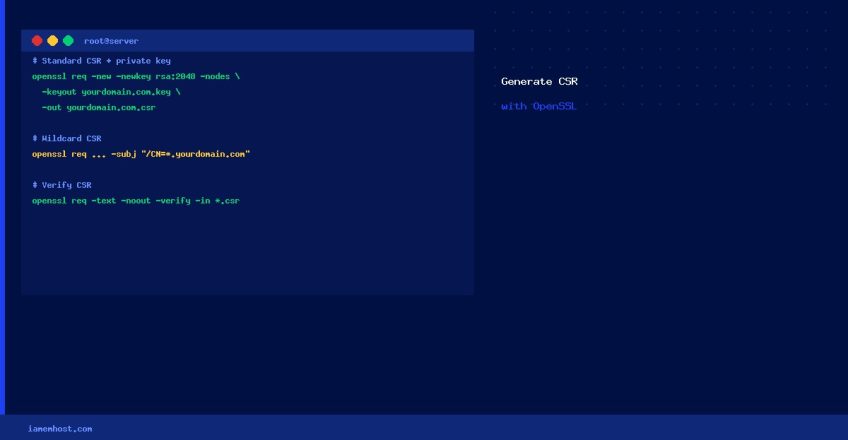
openssl req -new -newkey rsa:2048 -nodes -keyout yourdomain.com.key -out yourdomain.com.csr

# Or use 4096-bit for stronger security:
openssl req -new -newkey rsa:4096 -nodes -keyout yourdomain.com.key -out yourdomain.com.csr
You will be prompted for the Distinguished Name (DN) fields:
Country Name (2 letter code) [XX]: US
State or Province Name (full name) []: California
Locality Name (eg, city) []: San Francisco
Organization Name (eg, company) []: Example Corp Ltd
Organizational Unit Name (eg, section) []: IT
Common Name (e.g. server FQDN) []: yourdomain.com
Email Address []: admin@yourdomain.com
Leave the “challenge password” blank when prompted — it’s not required for CA-signed certificates.
Method 2: Non-Interactive CSR (Automation/Scripts)
openssl req -new -newkey rsa:2048 -nodes
  -keyout yourdomain.com.key
  -out yourdomain.com.csr
  -subj "/C=US/ST=California/L=San Francisco/O=Example Corp/CN=yourdomain.com"
Method 3: Wildcard SSL CSR
openssl req -new -newkey rsa:2048 -nodes
  -keyout wildcard.yourdomain.com.key
  -out wildcard.yourdomain.com.csr
  -subj "/C=US/ST=California/L=San Francisco/O=Example Corp/CN=*.yourdomain.com"
Verify the CSR
# View CSR contents to confirm domain and details
openssl req -text -noout -verify -in yourdomain.com.csr
Next Steps
- Submit the
.csrfile content to your CA (e.g., Sectigo, DigiCert, Let’s Encrypt) - Keep the
.keyfile private and secure — never share it - Once you receive the certificate (
.crt), install it on your web server alongside the.keyfile
cPanel: Generate CSR via WHM
For cPanel servers, use WHM → SSL/TLS → Generate an SSL Certificate and Signing Request — this generates the key and CSR through the GUI and stores them securely.