
When trying to change PHP settings, install extensions, or run EasyApache in WHM, you may get: “EasyApache is currently upgrading your Apache and PHP installation.” This error appears even when no EasyApache build is actually running — it’s caused by a stale lock file left over from a failed or interrupted build.
Step 1 — Verify No EasyApache Build is Actually Running
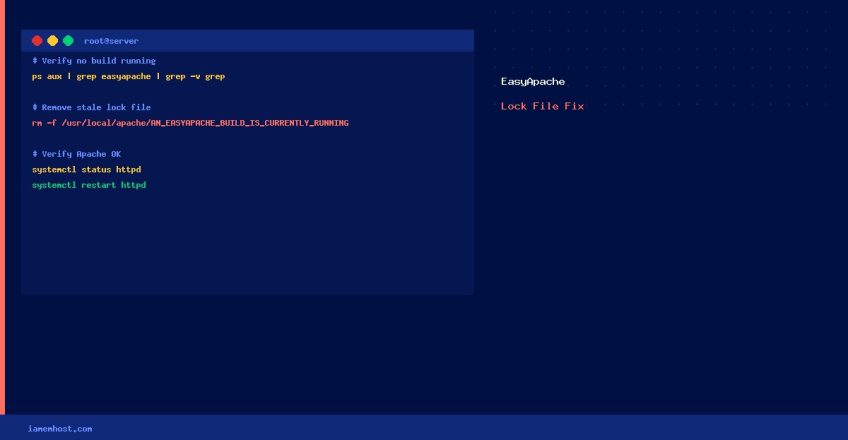
Do not remove the lock file if an EasyApache build is genuinely in progress. First confirm:
# Check for running EasyApache processes
ps aux | grep -E "easyapache|ea_install|ea4_install" | grep -v grep

# Check system load — a build in progress will show high CPU usage
top -bn1 | head -5

# Check EasyApache log for recent activity
tail -50 /var/cpanel/logs/easyapache4/build.log 2>/dev/null
Step 2 — Remove the Stale Lock File
If no build is running, remove the lock file:
# EasyApache 4 lock file (modern cPanel)
rm -f /usr/local/apache/AN_EASYAPACHE_BUILD_IS_CURRENTLY_RUNNING

# EasyApache 3 lock file (legacy — cPanel < 11.64)
rm -f /var/run/easyapache.pid
Step 3 — Verify Apache is Running Normally
# Check Apache status
systemctl status httpd

# Restart Apache if needed
systemctl restart httpd

# Verify cPanel services
/scripts/restartsrv_httpd
Step 4 — Retry the EasyApache Operation
Return to WHM → Software → EasyApache 4 and retry your operation. The error should no longer appear.
If EasyApache consistently fails mid-build, check /var/cpanel/logs/easyapache4/ for the root cause (disk full, dependency conflict, network timeout during package download, etc.).