
Zimbra includes a built-in audit-watching service called zmauditswatch that monitors the Zimbra audit log for repeated authentication failures and sends email alerts when configurable thresholds are exceeded. This is your first line of defence against SMTP and webmail brute-force attacks.
Enable Brute-Force Notifications (Zmauditswatch)
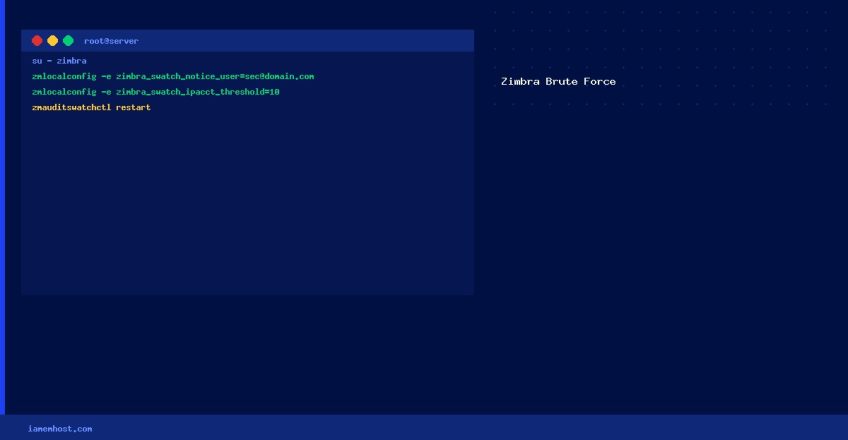
All commands below must be run as the zimbra user:
su - zimbraStep 1 — Set the Notification Email
zmlocalconfig -e zimbra_swatch_notice_user=security@yourdomain.comStep 2 — Configure Alert Thresholds
# Alert when a single IP+account combo has N failed logins
zmlocalconfig -e zimbra_swatch_ipacct_threshold=10

# Alert when a single account has N failed logins (from any IP)
zmlocalconfig -e zimbra_swatch_acct_threshold=20

# Alert when a single IP has N failed logins (any account)
zmlocalconfig -e zimbra_swatch_ip_threshold=30

# Alert when total failed logins across all accounts/IPs exceed N
zmlocalconfig -e zimbra_swatch_total_threshold=60
Step 3 — Restart zmauditswatch
# Stop and restart the audit watcher service
zmauditswatchctl stop
zmauditswatchctl start

# Verify it's running
zmauditswatchctl status
Verify Thresholds Are Applied
# View all configured swatch settings
zmlocalconfig | grep swatch
Additional Brute-Force Protection
- Account lockout policy: In Zimbra Admin → Class of Service → Advanced, enable account lockout after N failed logins
- Fail2ban: Install fail2ban with a Zimbra jail to automatically block offending IPs at the firewall level
- Two-factor authentication: Enable TOTP-based 2FA for all accounts in Zimbra Admin → Authentication