

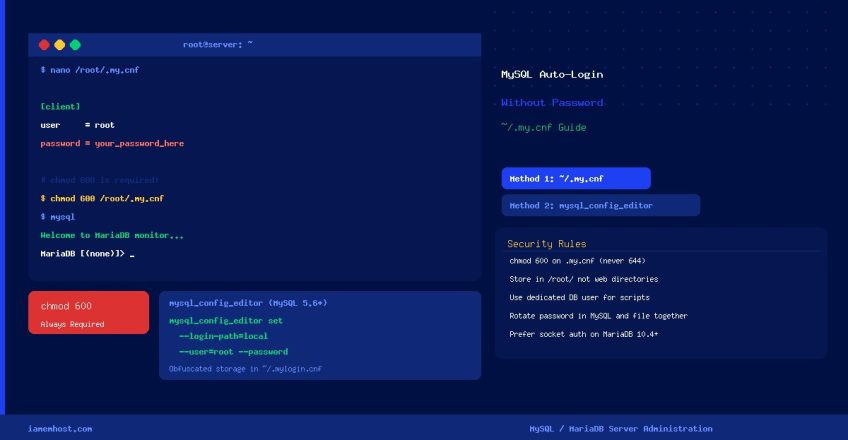

Typing your MySQL or MariaDB root password every time you open a monitoring session, run a cron script, or execute an ad-hoc query gets tedious fast. The clean solution is a ~/.my.cnf credentials file that the MySQL client reads automatically. This guide covers the setup, proper file permissions, per-user configuration, and a more secure alternative using mysql_config_editor.
Method 1: Using ~/.my.cnf (Works on All MySQL/MariaDB Versions)
Step 1 — Create the Credentials File
For the root system user, create the file at /root/.my.cnf. For any other Linux user, create it at ~/.my.cnf inside their home directory:
nano /root/.my.cnfAdd the following content, replacing your_password_here with the actual MySQL/MariaDB root password:
[client]
user     = root
password = your_password_here
The [client] section applies to the mysql, mysqldump, mysqlcheck, and most other MySQL client tools. Adding the user = line is important — without it, some clients fall back to the current Linux username instead of root.
Step 2 — Restrict File Permissions (Critical)
This file contains a plaintext password. Lock it down so only the owner can read it:
chmod 600 /root/.my.cnfIf the file is world-readable (permissions 644 or 755), MySQL itself will refuse to use it and print a warning. 600 (owner read/write only) is the minimum required.
Step 3 — Test the Auto-Login
mysqlYou should drop directly into the MySQL prompt without being asked for a password. To verify which user you are connected as:
SELECT USER(), CURRENT_USER();Method 2: mysql_config_editor (MySQL 5.6+ Only — Encrypted Storage)
MySQL 5.6 and later include mysql_config_editor, which stores credentials in an obfuscated binary file (~/.mylogin.cnf) rather than plaintext. While not true encryption, it is harder to accidentally expose than a plaintext .my.cnf:
# Create a login path called "localroot"
mysql_config_editor set --login-path=localroot --host=127.0.0.1 --user=root --password
# (enter password at the prompt — it will not echo to screen)

# Use it
mysql --login-path=localroot

# List configured login paths
mysql_config_editor print --all
Login paths are named profiles, so you can store credentials for multiple servers or users in the same file:
mysql_config_editor set --login-path=staging  --host=192.168.1.10 --user=admin --password
mysql_config_editor set --login-path=production --host=10.0.0.5  --user=dbadmin --password
Targeting Specific Tools with Section Headers
You can use different credentials for different MySQL client tools by adding separate sections to ~/.my.cnf:
[client]
user     = root
password = your_password_here

[mysqldump]
user     = backup_user
password = backup_password
max_allowed_packet = 512M

[mysql]
# Always show a prompt with the database name
prompt   = (u@h) [d]>_
Settings in [mysql] apply only to the interactive mysql client; settings in [mysqldump] apply only to mysqldump; settings in [client] apply to all clients.
Using Auto-Login in Cron Scripts
Once ~/.my.cnf is in place, cron jobs running as root can invoke MySQL without hardcoding passwords in the script:
#!/bin/bash
# /usr/local/bin/db-monitor.sh — runs via cron as root
# No password needed — reads from /root/.my.cnf automatically

mysql -e "SHOW STATUS LIKE 'Threads_connected';" 2>/dev/null
mysqladmin status 2>/dev/null
Security Considerations
- Never use
chmod 644on.my.cnf— other system users can read the password - Do not store
.my.cnfin web-accessible directories —/root/is safe;/var/www/is not - Use a dedicated MySQL user for scripts rather than root — grant only the minimum required privileges
- Rotate the password in both MySQL and
.my.cnftogether — a mismatch locks you out of auto-login silently - For production environments, prefer socket authentication (passwordless) or
mysql_config_editorover plaintext.my.cnf
Quick Reference
| Method | File Location | Password Storage | MySQL Version |
|---|---|---|---|
~/.my.cnf | /root/.my.cnf or ~/.my.cnf | Plaintext (chmod 600) | All versions |
mysql_config_editor | ~/.mylogin.cnf | Obfuscated binary | MySQL 5.6+ only |
| Socket auth (unix_socket) | n/a (OS-level auth) | No password stored | MariaDB 10.4+ |

