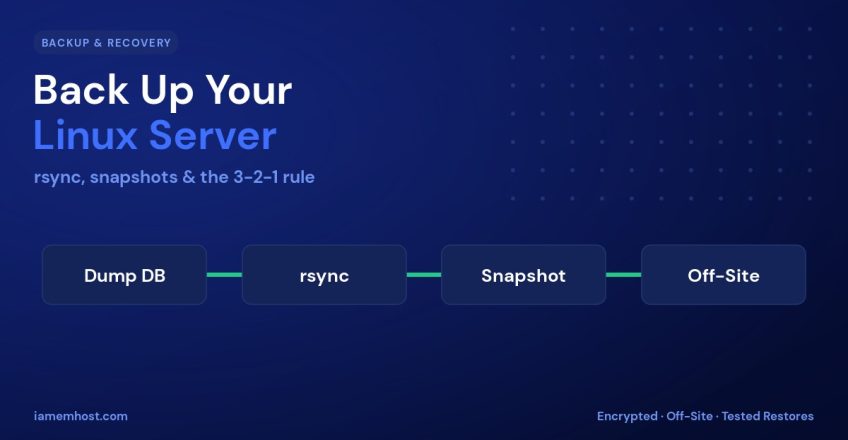

There are two kinds of server administrators: those who have lost data, and those who are about to. Hardware fails, ransomware encrypts, a bad rm -rf wipes the wrong directory — and the only thing that saves you is a backup you can actually restore. This guide covers a practical Linux backup strategy: the 3-2-1 rule, automated rsync backups, filesystem snapshots, off-site storage, and the step everyone skips — testing the restore.
The 3-2-1 Rule
Every solid backup strategy follows one simple principle:
- 3 copies of your data (the live data plus two backups).
- 2 different media or storage types.
- 1 copy kept off-site, physically separate from the server.
A backup sitting on the same disk as your data is not a backup — it dies with the disk. Off-site is what protects you from fire, theft, and a fully compromised server.
What to Back Up
| Data | Typical location |
|---|---|
| Website files | /var/www, /home |
| Databases | mysqldump / pg_dump output |
/var/mail, /home/*/Maildir | |
| Configuration | /etc |
| Cron jobs & scripts | /etc/cron*, custom paths |
Always dump databases to a file before copying — backing up raw MySQL data files while the server is running produces a corrupt, unrestorable copy.
Automated rsync Backups
rsync is the workhorse of Linux backups: it copies only what changed, preserves permissions, and works beautifully over SSH. Here’s a simple nightly script:
#!/bin/bash
# /usr/local/bin/backup.sh
DATE=$(date +%F)
DEST=/backups/$DATE

mkdir -p "$DEST"
# Dump all databases first
mysqldump --all-databases --single-transaction | gzip > "$DEST/mysql.sql.gz"
# Mirror website + config
rsync -aAX --delete /var/www "$DEST/"
rsync -aAX /etc "$DEST/"
Schedule it and push a copy off-site to another server over SSH:
# crontab -e — run at 2 AM daily
0 2 * * * /usr/local/bin/backup.sh

# Sync to a remote backup host
0 3 * * * rsync -aAX -e ssh /backups/ backup@offsite.example.com:/srv/backups/
The --delete flag mirrors deletions. If you’d rather keep deleted files for a while, drop it and rely on dated folders or --backup instead.
Snapshots: Fast, Point-in-Time Copies
Snapshots capture the entire filesystem at an instant and are ideal for quick rollbacks. The method depends on your storage:
- LVM:
lvcreate --snapshotfor a copy-on-write snapshot of a logical volume. - ZFS / Btrfs: instant, space-efficient snapshots with
zfs snapshotorbtrfs subvolume snapshot. - VPS provider snapshots: most cloud panels offer full-disk snapshots with one click.
Snapshots are great for “undo” before an upgrade — but they usually live on the same storage, so they are not a substitute for an off-site copy.
Retention & Encryption
Keep a sensible rotation — for example 7 daily, 4 weekly, and 6 monthly backups — and prune the rest to control storage. Encrypt anything leaving your server:
# Delete backups older than 7 days
find /backups -maxdepth 1 -type d -mtime +7 -exec rm -rf {} \;

# Encrypt an archive before off-siting
gpg --symmetric --cipher-algo AES256 backup.tar.gz
For richer features — deduplication, encryption, and incremental archives built in — tools like restic and BorgBackup are excellent upgrades over a raw rsync script.
The Step Everyone Skips: Test the Restore
A backup you have never restored is just a hopeful guess. Once a month, restore to a throwaway VM or directory and confirm the files open and the database imports cleanly:
gunzip < mysql.sql.gz | mysql -u root -p restore_test
# Then verify row counts and spot-check a few tables
Conclusion
Follow the 3-2-1 rule, automate nightly rsync backups with database dumps, use snapshots for quick rollbacks, encrypt anything that goes off-site, and — above all — test your restores. Do that and a failed disk or a bad command becomes a minor inconvenience instead of a catastrophe.