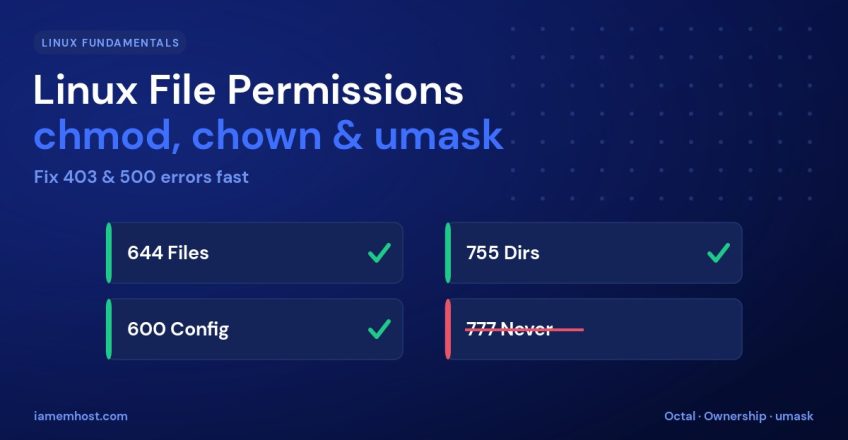

Almost every “permission denied,” 403 Forbidden, or mysterious 500 error on a Linux web server traces back to one thing: file permissions and ownership. Understanding how Linux decides who can read, write, or execute a file is one of the highest-value skills a server administrator can have. This guide explains the permission model, decodes chmod and chown, demystifies umask, and shows you how to fix the errors these settings cause.
The Three Whos and Three Whats
Every file has permissions for three classes of user, and three types of access for each:
| Who | What | On a file | On a directory | |
|---|---|---|---|---|
| Owner (user) | u | Read r | View contents | List files |
| Group | g | Write w | Modify | Add/remove files |
| Others | o | Execute x | Run as program | Enter (cd) the dir |
A key gotcha: on a directory, the execute bit means “you can enter it.” A folder readable but not executable is effectively unusable — this trips up many people.
Reading ls -l Output
-rw-r--r--  1 alice www-data  2048 Jun 18 10:00 index.php
drwxr-xr-x  2 alice www-data  4096 Jun 18 09:55 uploads
The first character is the type (- file, d directory). The next nine are three triplets — owner, group, others. So index.php is read/write for owner alice, read-only for group www-data and everyone else.
Octal Notation
Permissions are often written as three digits. Each digit is the sum of read (4), write (2), and execute (1):
| Octal | Symbolic | Meaning |
|---|---|---|
644 | rw-r--r-- | Standard file: owner edits, others read |
755 | rwxr-xr-x | Standard directory / executable |
600 | rw------- | Private file (keys, configs) |
777 | rwxrwxrwx | Everyone can do anything — avoid! |
chmod: Changing Permissions
# Octal — set exact permissions
chmod 644 index.php
chmod 755 uploads

# Symbolic — adjust relative to current
chmod u+x script.sh        # add execute for owner
chmod go-w secret.conf     # remove write from group + others
chmod -R 755 /var/www/html # recursive
The correct baseline for a website is 644 for files and 755 for directories. A clean way to apply that across a tree:
find /var/www/html -type f -exec chmod 644 {} \;
find /var/www/html -type d -exec chmod 755 {} \;
chown: Changing Ownership
Permissions only matter relative to who owns the file. Files served by the web server usually need to be owned by the web user (www-data, apache, or nginx):
# Set owner and group
chown alice:www-data index.php

# Recursively give a site to the web user
chown -R www-data:www-data /var/www/html
Most “cannot write” upload errors in WordPress and other apps are an ownership problem, not a permission one — the files are 644, but owned by the wrong user.
umask: The Default for New Files
umask defines which permission bits are removed from newly created files. The common default 022 yields 644 files and 755 directories — exactly what you want for a web tree.
umask          # show current value (e.g. 0022)
umask 027      # new files = 640, dirs = 750 (stricter)
Fixing Common Errors
| Error | Likely cause | Fix |
|---|---|---|
| 403 Forbidden | Directory missing execute bit, or wrong index file perms | chmod 755 the directory |
| 500 Internal Server Error | Script or config world-writable (PHP-FPM/suEXEC refuses it) | chmod 644 the file |
| WordPress “cannot create directory” | Wrong ownership on wp-content | chown -R to web user |
| SSH key ignored | Key too open | chmod 600 ~/.ssh/id_rsa |
Conclusion
Linux permissions come down to three users, three actions, and the ownership that ties them together. Remember the safe baseline — 644 for files, 755 for directories, correct web-user ownership — and never reach for 777 as a quick fix. Master chmod, chown, and umask, and most 403/500 errors become a two-second diagnosis.