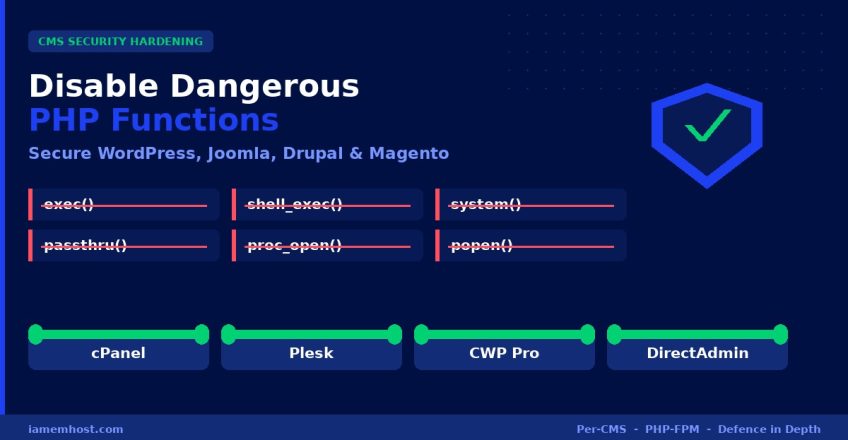

One of the most effective ways to harden any CMS — WordPress, Joomla, Drupal, or Magento — is to disable the dangerous PHP functions that attackers rely on. When a site is compromised through a vulnerable plugin or theme, the attacker’s malware almost always tries to call functions like exec(), shell_exec(), or system() to run commands, drop backdoors, or pivot across accounts. If those functions are disabled at the PHP level, most automated exploits simply fail. This guide shows you which functions to disable per CMS (because each one needs a slightly different set), and exactly how to apply it on cPanel, Plesk, CWP (CentOS Web Panel) Pro, and DirectAdmin.
Why Disable PHP Functions at All?
A normal CMS website renders pages, queries a database, and sends email. It almost never needs to execute operating-system commands. But many PHP functions can execute commands, read arbitrary files, or spawn processes — and these are exactly what malware uploaded through a hacked plugin abuses. Disabling them removes the attacker’s toolkit without affecting how your website works for visitors.
The Dangerous PHP Functions
| Function | What It Does | Risk |
|---|---|---|
exec | Executes an external program | Run shell commands |
shell_exec | Executes a command via shell, returns output | Run shell commands |
system | Executes a command and prints output | Run shell commands |
passthru | Executes a command, passes raw output | Run shell commands |
popen / proc_open | Opens a process pipe | Spawn processes / backdoors |
pcntl_exec | Executes a program in the current process | Run shell commands |
show_source | Reveals PHP source code | Information disclosure |
dl | Loads a PHP extension at runtime | Load malicious extensions |
posix_* / posix_kill | Low-level process/user control | Process manipulation |
Note: eval() is a language construct, not a function, so it cannot be disabled via disable_functions. Block it with a WAF (ModSecurity / Imunify360) instead.
Recommended disable_functions List — Per CMS
The reason you tune this per CMS is that some platforms legitimately need a few of these functions for backups, image processing, or cron. Disable too much and you break the admin panel; disable too little and you leave gaps. Below are battle-tested lists for each major CMS.
WordPress
WordPress core never needs command-execution functions. The only caveat: a few backup/optimisation plugins (e.g. some UpdraftPlus zip operations) and WP-CLI use proc_open. If you rely on those, omit proc_open and popen.
disable_functions = exec,passthru,shell_exec,system,proc_open,popen,curl_multi_exec,parse_ini_file,show_source,pcntl_exec,dlJoomla
Joomla behaves like WordPress here. Akeeba Backup can use exec but has a pure-PHP fallback, so the full list is safe.
disable_functions = exec,passthru,shell_exec,system,proc_open,popen,show_source,pcntl_exec,dl,posix_kill,posix_mkfifo,posix_getpwuidDrupal
Drupal’s web requests don’t need command execution (Drush runs on the CLI, which uses a separate php.ini). Safe to disable the full set.
disable_functions = exec,passthru,shell_exec,system,proc_open,popen,show_source,pcntl_exec,dl,posix_kill,posix_setuid,posix_setgidMagento 2
Be careful with Magento. Some indexing, compilation, and third-party modules call exec, shell_exec, or proc_open. Best practice: keep these enabled on the CLI PHP config, but disable them on the web-facing PHP-FPM pool. A conservative web-pool list:
disable_functions = show_source,pcntl_exec,dl,posix_kill,posix_mkfifo,posix_setuid,posix_setgidTest the admin panel, checkout, and cron thoroughly after applying. If something breaks, the culprit is usually a module needing proc_open.
OpenCart / PrestaShop
disable_functions = exec,passthru,shell_exec,system,proc_open,popen,show_source,pcntl_exec,dl| CMS | Disable command exec? | Watch out for |
|---|---|---|
| WordPress | ✅ Yes (full list) | WP-CLI / some backup plugins need proc_open |
| Joomla | ✅ Yes (full list) | Akeeba Backup (has PHP fallback) |
| Drupal | ✅ Yes (full list) | None on web (Drush is CLI) |
| Magento 2 | ⚠️ Web pool only | Keep enabled on CLI for compile/cron |
| OpenCart / PrestaShop | ✅ Yes (full list) | None typically |
Important: disable_functions Is a “System” Directive
This is the part most tutorials get wrong. disable_functions has a changeability of PHP_INI_SYSTEM, which means it cannot be set in .user.ini, .htaccess, or with ini_set(). It must be set in either:
- The master
php.inifor that PHP version, or - The PHP-FPM pool configuration for that specific domain/user (the recommended way to apply it per-CMS).
Because each CMS usually lives on its own domain or hosting account, the per-domain PHP-FPM pool is exactly where you set a CMS-specific list. Here’s how to do it in each control panel.
How to Apply It on cPanel / WHM
Option A — Per PHP Version (WHM, server-wide)
- Log in to WHM as root
- Go to Software → MultiPHP INI Editor
- Switch to the Editor tab and select the PHP version your CMS uses (e.g.
ea-php82) - Add your
disable_functions = ...line and click Save
Option B — Per Domain (PHP-FPM pool, recommended)
To target one CMS only, add a per-domain FPM override via SSH:
# Create a per-domain FPM override (replace USER and DOMAIN)
nano /var/cpanel/userdata/USER/DOMAIN.com.php-fpm.yaml

# Add this line:
php_admin_value_disable_functions: "exec,passthru,shell_exec,system,proc_open,popen,show_source,pcntl_exec,dl"

# Rebuild FPM config and restart
/usr/local/cpanel/scripts/php_fpm_config --rebuild
/usr/local/cpanel/scripts/restartsrv_apache_php_fpm
How to Apply It on Plesk
Plesk makes per-CMS configuration the easiest because every domain has its own PHP settings page:
- Log in to Plesk
- Go to Websites & Domains → (select your domain) → PHP Settings
- Scroll to Additional configuration directives at the bottom
- Add your line:
disable_functions = exec,passthru,shell_exec,system,proc_open,popen,show_source,pcntl_exec,dl- Click OK / Apply — Plesk applies it to that domain’s PHP-FPM pool immediately. No restart needed.
How to Apply It on CWP (CentOS Web Panel) Pro
Via the PHP-FPM Selector (per user/domain)
- Log in to CWP Pro admin
- Go to PHP Settings → PHP-FPM Selector (or PHP Version Switcher)
- Select the domain/user and the PHP version it runs
- Edit that pool’s configuration and add the directive line:
php_admin_value[disable_functions] = exec,passthru,shell_exec,system,proc_open,popen,show_source,pcntl_exec,dlVia SSH (PHP-FPM pool file)
# CWP PHP-FPM pools live under the selected PHP version, e.g. PHP 8.2
nano /usr/local/php82/php-fpm.d/USERNAME.conf

# Add inside the [pool] block:
php_admin_value[disable_functions] = exec,passthru,shell_exec,system,proc_open,popen,show_source,pcntl_exec,dl

# Restart the matching FPM service
systemctl restart php-fpm82
For a server-wide setting across all sites on a version, edit that version’s php.ini under CWP → PHP Settings → PHP Version (select) → Edit php.ini and add disable_functions there.
How to Apply It on DirectAdmin
DirectAdmin uses CustomBuild with PHP-FPM. You can set it per user/domain via a custom FPM pool include:
# Per-user FPM override (PHP 8.2 example) — DirectAdmin reads custom includes here:
nano /usr/local/php82/etc/php-fpm.d/USERNAME.conf

# Inside the [USERNAME] pool block add:
php_admin_value[disable_functions] = exec,passthru,shell_exec,system,proc_open,popen,show_source,pcntl_exec,dl

# Restart the FPM service for that version
systemctl restart php-fpm82
For a server-wide change per PHP version, edit the master php.ini and rebuild via CustomBuild:
# Add disable_functions to the version's php.ini, e.g.:
nano /usr/local/php82/lib/php.ini

# Then rebuild PHP configuration
cd /usr/local/directadmin/custombuild
./build php_ini
systemctl restart php-fpm82
Verify It Worked
After applying and restarting PHP-FPM, confirm the functions are actually disabled. Create a temporary file in the CMS web root:
# Create a temp checker (delete it immediately after!)
echo '' > check.php
# Visit https://yourdomain.com/check.php
# Both should print bool(false)
# Then remove it:
rm check.php
Or check from the command line (note: CLI uses a different php.ini, so always verify via the web for the FPM pool):
# Show the active disable_functions for a PHP-FPM pool
php -i | grep disable_functions
Layer It With Other Protections
Disabling PHP functions is one layer — combine it with these for defence in depth:
- open_basedir — restrict PHP to the domain’s own directory so a hacked site can’t read other accounts
- Imunify360 / ModSecurity WAF — blocks
eval()-based and upload exploits thatdisable_functionscan’t - CloudLinux + CageFS — isolates each account so one compromise can’t spread
- Keep CMS, plugins, and themes updated — most breaches start with an outdated component
- File permission hardening — 644 for files, 755 for directories, 600 for
wp-config.php
Security Built In, Not Bolted On
Every Linux Shared Hosting and WordPress Hosting plan at IAMEM HOSTING ships with CloudLinux account isolation, Imunify360, and ModSecurity already configured — and our team will set up CMS-specific disable_functions hardening for you on request. If you need full control over PHP-FPM pools and server-level security, a Managed Linux VPS gives you root access with our 24×7 security monitoring behind it.