
Every hosting provider advertises an uptime figure — 99.9%, 99.99%, sometimes “100%.” It sounds reassuring, but what do those numbers actually mean for your website? The difference between 99.9% and 99.99% might look tiny, yet it’s the difference between hours and minutes of downtime a year. This guide explains uptime, SLAs, and the “nines” so you can read a hosting promise clearly.
What Is Uptime?
Uptime is the percentage of time your website is online and reachable over a given period. Its opposite is downtime — any period when visitors can’t load your site, whether due to server failure, maintenance, or a network issue. Uptime is the single clearest measure of a host’s reliability.
The “Nines”: What Each Level Really Allows
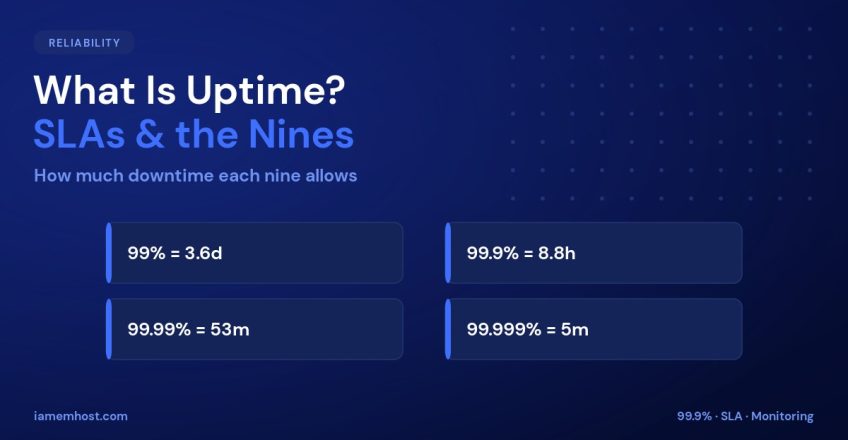
Because uptime is measured in percentages very close to 100%, the industry talks in “nines.” Here’s how much downtime each level permits — the numbers are more revealing than the percentages suggest:
| Uptime | “Nines” | Downtime / year | Downtime / month |
|---|---|---|---|
| 99% | Two nines | ~3.65 days | ~7.2 hours |
| 99.9% | Three nines | ~8.76 hours | ~43 minutes |
| 99.99% | Four nines | ~52.6 minutes | ~4.3 minutes |
| 99.999% | Five nines | ~5.26 minutes | ~26 seconds |
Notice the jump: moving from 99% to 99.9% saves you over three days of downtime a year. That’s why the decimals matter far more than they appear.
What Is an SLA?
A Service Level Agreement (SLA) is the host’s formal, contractual uptime promise. A good SLA states the guaranteed uptime and what compensation you receive (usually account credit) if it’s missed. When reading one, check the details:
- What’s excluded? Scheduled maintenance is often not counted as downtime.
- How is it measured? Monthly or yearly — monthly is stricter and more meaningful.
- What’s the remedy? A credit is standard; understand how to claim it.
Why “100% Uptime” Is a Red Flag
No infrastructure is perfect — hardware fails, networks hiccup, and updates happen. A realistic host promises 99.9% or higher and backs it with an SLA. A literal “100%” claim usually refers to network or infrastructure uptime under specific conditions, not your individual site being reachable every second. Read what the number actually covers.
How to Check Uptime Yourself
Don’t just take the marketing at face value — monitor it. Free tools like UptimeRobot or a simple external check will ping your site every few minutes and log any outages, giving you your real uptime over time:
# Quick manual check of HTTP status + response time
curl -o /dev/null -s -w "HTTP %{http_code}  in %{time_total}s\n" https://example.com
Conclusion
Uptime is reliability in a single number, but the decimals carry all the weight: 99.9% allows nearly nine hours of downtime a year, while 99.99% allows under an hour. Look for a host that guarantees at least three nines, backs it with a clear SLA, and lets you verify with your own monitoring. That’s how you turn a marketing figure into a promise you can trust.

Domain Name vs Web Hosting: What’s the Difference?
Iamem HostingBandwidth vs Storage: Web Hosting Resources Explained
Iamem Hosting