
SSH key-based authentication is more secure than passwords — it’s immune to brute-force attacks, required for automated deployments, and can be enforced without interactive password entry. This guide sets up key-based SSH login on AlmaLinux, Rocky Linux, and CentOS servers.
Step 1 — Generate an SSH Key Pair (on Your Local Machine)
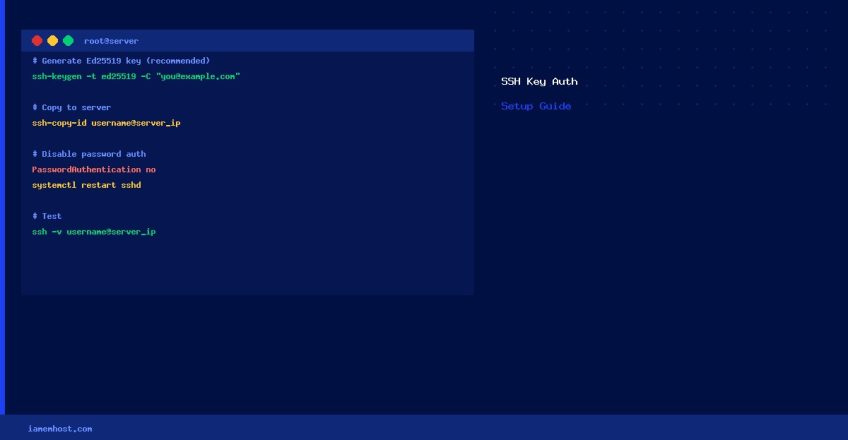
# Generate a modern Ed25519 key (recommended) or RSA 4096-bit
ssh-keygen -t ed25519 -C "your_email@example.com"
# or RSA:
ssh-keygen -t rsa -b 4096 -C "your_email@example.com"

# Accept the default path (~/.ssh/id_ed25519) and set a passphrase
Step 2 — Copy the Public Key to the Server
# Easiest method — copies ~/.ssh/id_ed25519.pub automatically
ssh-copy-id username@server_ip

# Manual method (if ssh-copy-id isn't available):
cat ~/.ssh/id_ed25519.pub | ssh username@server_ip "mkdir -p ~/.ssh && cat >> ~/.ssh/authorized_keys && chmod 600 ~/.ssh/authorized_keys && chmod 700 ~/.ssh"
Step 3 — Verify Permissions on the Server
# On the server, ensure correct permissions (SSH will reject if too permissive)
chmod 700 ~/.ssh
chmod 600 ~/.ssh/authorized_keys
chown -R $USER:$USER ~/.ssh
Step 4 — Test Key-Based Login
# From your local machine (should not prompt for password)
ssh username@server_ip
# or with verbose output to debug:
ssh -v username@server_ip
Step 5 — Disable Password Authentication (Recommended)
Once key login is confirmed working, disable password authentication to eliminate brute-force risk:
# Edit sshd_config
vi /etc/ssh/sshd_config

# Set these values:
PasswordAuthentication no
PubkeyAuthentication yes
AuthorizedKeysFile .ssh/authorized_keys

# Restart SSH
systemctl restart sshd
⚠ Warning: Keep an active SSH session open while testing after the restart, in case you need to re-enable password auth via console access.
Troubleshooting
| Issue | Fix |
|---|---|
| Still prompted for password | Check ~/.ssh/authorized_keys permissions (must be 600); check /var/log/secure |
| Permission denied (publickey) | Run ssh-add ~/.ssh/id_ed25519 to load key into agent |
| SELinux blocking | restorecon -Rv ~/.ssh |