
After installing or upgrading Joomla, you may see a generic “An error occurred” message in the administrator panel. This is almost always caused by an insufficient MySQL sort_buffer_size — Joomla’s backend performs complex queries that exceed the default buffer. The fix takes under a minute.
The Fix: Increase MySQL sort_buffer_size
Step 1 — Edit MySQL Configuration
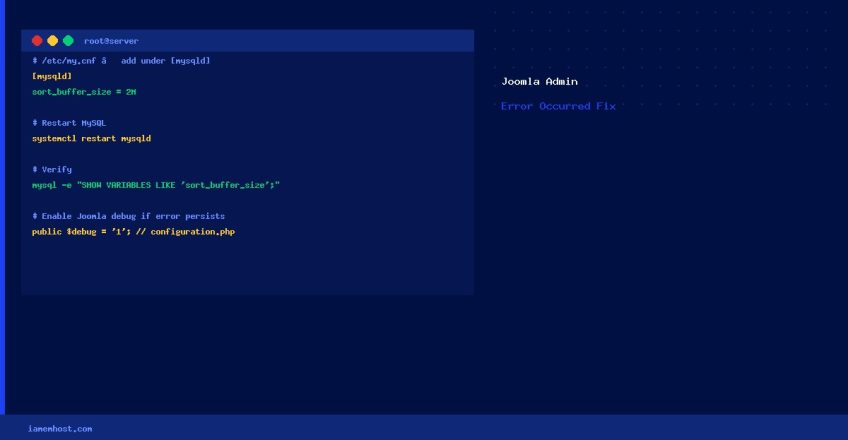
vi /etc/my.cnfAdd the following under the [mysqld] section:
[mysqld]
sort_buffer_size = 2M
The default is typically 256 KB. Setting it to 2 MB resolves the issue for most Joomla installations; busy sites with large databases may benefit from 4 MB.
Step 2 — Restart MySQL
# Modern systems (systemd)
systemctl restart mysqld
# or MariaDB:
systemctl restart mariadb

# Verify the new value
mysql -e "SHOW VARIABLES LIKE 'sort_buffer_size';"
If the Error Persists: Check PHP Error Logs
The sort_buffer_size fix resolves the most common cause, but Joomla’s vague error can also stem from:
- PHP memory limit too low: Add
memory_limit = 256Mtophp.ini - Corrupted Joomla session: Delete files in
/tmp/or clear the#__sessiondatabase table - Incompatible extension: Disable recently installed extensions via phpMyAdmin (set published=0 in
#__extensions) - Wrong file permissions: Run
find /path/to/joomla -type d -exec chmod 755 {} ; && find /path/to/joomla -type f -exec chmod 644 {} ;
Enable Joomla Debug Mode to See the Real Error
# Edit configuration.php
vi /path/to/joomla/configuration.php
# Find and change:
public $debug = '0';
# to:
public $debug = '1';
With debug mode on, the actual PHP/SQL error will be displayed instead of the generic message. Remember to set it back to 0 after debugging.