
When WordPress prompts for FTP credentials before installing plugins or updates, it means WordPress cannot write directly to the filesystem and is falling back to FTP mode. This is almost always a file ownership or permission issue. Here are all the fixes, from quickest to most thorough.
Root Cause
WordPress checks if it can write to its own directory by testing the file owner. If the PHP process runs as a different user than the files are owned by (common on shared hosting with suEXEC or PHP-FPM), WordPress assumes it needs FTP to write files.
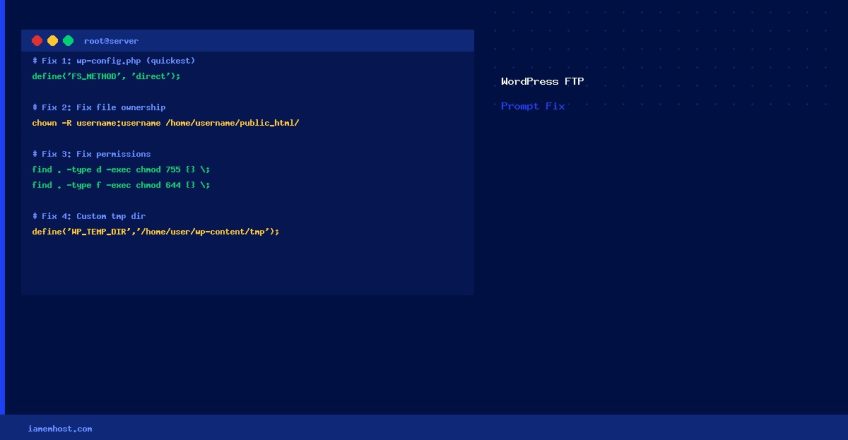
Fix 1: Define FS_METHOD in wp-config.php (Quickest)
// Add this line to wp-config.php (before "That's all, stop editing!")
define('FS_METHOD', 'direct');
This forces WordPress to write files directly without the FTP check. Only use this if your web server process has write permission to the WordPress directory (which it does on most cPanel accounts).
Fix 2: Fix File Ownership (Most Correct)
On cPanel servers, WordPress files should be owned by the cPanel username:
# Replace 'username' with your cPanel account username
chown -R username:username /home/username/public_html/

# For a specific WordPress installation in a subdirectory:
chown -R username:username /home/username/public_html/wordpress/
Fix 3: Fix Directory Permissions
# Correct permissions for WordPress
find /home/username/public_html/ -type d -exec chmod 755 {} ;
find /home/username/public_html/ -type f -exec chmod 644 {} ;

# wp-config.php should be more restrictive
chmod 600 /home/username/public_html/wp-config.php
Fix 4: Set WordPress Temp Directory
If the system /tmp directory has the wrong permissions, WordPress can’t stage updates. Define a custom temp directory:
# Create a writable temp directory inside WordPress
mkdir /home/username/public_html/wp-content/tmp
chown username:username /home/username/public_html/wp-content/tmp

// Add to wp-config.php:
define('WP_TEMP_DIR', '/home/username/public_html/wp-content/tmp');
Verify WordPress Can Write Files
# Test write access as the web server user
sudo -u apache touch /home/username/public_html/test_write.txt && echo "Write OK" || echo "Write FAILED"
rm /home/username/public_html/test_write.txt
Quick Diagnosis Table
| Symptom | Likely Fix |
|---|---|
| FTP prompt on all operations | Add define('FS_METHOD', 'direct') to wp-config.php |
| FTP prompt after server migration | Fix file ownership with chown -R |
| FTP prompt after cPanel restore | Fix ownership + permissions |
| Works for admin but not for plugin installs | Check wp-content/plugins/ directory permissions |