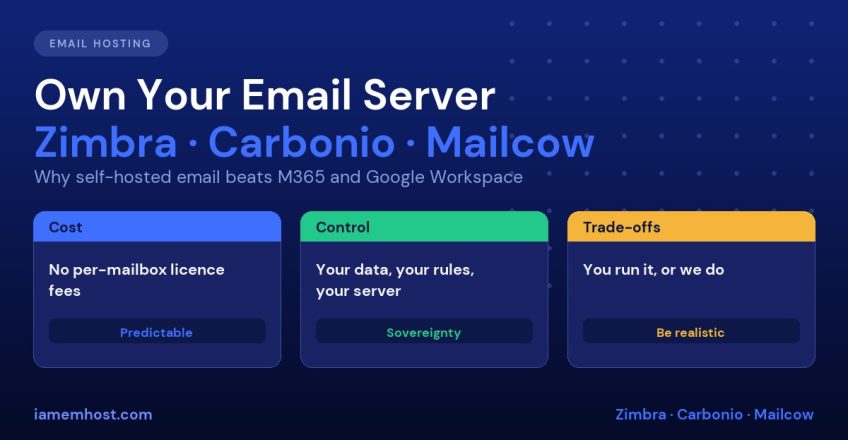

For most small businesses, “email” quietly became “Microsoft 365 or Google Workspace”. It is easy to see why: sign up, add a card, and you have mailboxes. But the convenience comes with costs that are easy to ignore until they add up: a per-user fee that rises with headcount and with every price change, your messages stored on infrastructure you do not control, and limited ability to adapt the service to your needs. Self-hosted email on platforms such as Zimbra, Carbonio or Mailcow is a serious alternative that thousands of organisations, hosting companies and ISPs run every day. This post makes the case for self-hosting, and is honest about where cloud email is the better choice.
If you are new to the topic, start with Email Hosting Explained for the basics of business email.
The Three Platforms in Brief
| Zimbra | Carbonio (Community Edition) | Mailcow | |
|---|---|---|---|
| Type | Full collaboration suite (mail, calendar, contacts, files, chat) | Modern collaboration suite from the Zextras team | Dockerised mail server stack |
| Webmail | Classic and modern Zimbra web clients | Carbonio web UI, calendar, files, chat | SOGo webmail, calendar and contacts |
| Core components | Postfix, Jetty, Amavis, SpamAssassin, ClamAV | Postfix, Dovecot, Mesh architecture, ClamAV, SpamAssassin | Postfix, Dovecot, Rspamd, SOGo, ClamAV, Docker |
| Licence | Open Source Edition plus paid Network editions | Free Community Edition and paid editions | Open source (GPLv3) |
| Best for | Organisations that want a full Exchange-style suite | Teams wanting a modern, actively developed Zimbra alternative | Small and medium businesses, agencies, those comfortable with Docker |
| Admin effort | Medium to high | Medium | Low to medium |
The features and licensing terms of each product change over time, so check the vendor’s current edition comparison before choosing. If you want to try one, we provide a Carbonio CE VPS server option, and our archives include a guide to installing Zimbra on AlmaLinux.
1. Cost: Per-Mailbox Fees vs a Flat Server Cost
Cloud suites charge per user, per month, and the bill grows linearly with every employee, shared mailbox that needs a licence, and add-on such as advanced security or archiving. A self-hosted server has a roughly fixed cost: a VPS or dedicated server, plus your or your provider’s administration time. One well-sized server can host dozens or hundreds of mailboxes.
A simple way to compare: take what you pay per user per month in the cloud, multiply by the number of users and 12, and compare that with the annual cost of a VPS, backup storage and administration. The more mailboxes you have, the more the self-hosted model wins. For ten users the saving may be small. For 200 users, or for a hosting company reselling mail, it is substantial. Also include the other costs honestly: backups, monitoring, spam filtering upkeep and the time of whoever runs it.
2. Data Ownership, Privacy and Compliance
With a hosted suite, your messages live on the provider’s infrastructure, subject to the provider’s terms and to the laws of the countries in which it operates. With self-hosting:
- You choose where the data lives: a specific country, a specific data centre, or your own premises
- You control retention, encryption and access: no vendor staff or automated scanning of mailbox content for product purposes
- Compliance is easier to demonstrate for organisations with data-residency requirements, such as government, healthcare, legal and finance, or those handling regulated personal data. Check the requirements that apply to you, for example India’s Digital Personal Data Protection Act, GDPR or sector rules
- You are insulated from vendor-side decisions: changes to terms, scanning policies or account suspensions
This does not mean cloud providers are insecure. They invest enormously in security. The point is control and jurisdiction, which matter more to some organisations than to others.
3. Control and Customisation
Self-hosting gives you options a cloud tenant cannot get:
- Custom mail routing and per-domain outgoing IPs (Zimbra: Assign a Dedicated Outgoing SMTP IP per Domain)
- Your own spam and policy rules, for example SMTP-time recipient verification (Zimbra sender and recipient verification)
- Integration with your own authentication (LDAP, Active Directory), scripts and APIs
- Unlimited aliases, domains and catch-all addresses without per-address licensing
- Control over upgrade timing, instead of changes arriving on the vendor’s schedule
4. Predictability and Independence
Cloud providers change pricing, bundle and unbundle features, and retire products. Outages of large providers affect millions of customers at once, and you wait with everyone else. A server you control has its own failure modes, but you can build redundancy, choose your maintenance windows and prioritise restoring your own service. You also avoid lock-in, because standard protocols (IMAP, SMTP, CalDAV, CardDAV) mean you can migrate away with tools such as imapsync.
5. Open Source and Transparency
Mailcow is fully open source, Carbonio has a free community edition and Zimbra has an open-source edition. You can inspect how the system works, rely on a community of administrators and avoid single-vendor dependency. The software stack underneath, Postfix, Dovecot and Rspamd, is the same battle-tested foundation used across the industry.
Where Microsoft 365 and Google Workspace Are Better
An honest comparison has to include these:
| Area | Why cloud wins | How to mitigate when self-hosting |
|---|---|---|
| Zero administration | The provider patches, scales and operates everything | Use a managed self-hosted service |
| Deliverability | Large providers have strong sender reputation | Do SPF, DKIM, DMARC, reverse DNS and IP warm-up properly |
| Office apps and document collaboration | Word, Excel, Teams, Docs and Meet are tightly integrated | Add open-source office tools such as OnlyOffice or Collabora; Carbonio includes docs and chat |
| Mobile device management and enterprise identity | Deep integration with Entra ID or Google identity | Use LDAP/AD integration and standard ActiveSync or IMAP clients |
| Global availability | Multi-region redundancy built in | Add a secondary MX, backups and a standby server |
| Support and SLAs | Contractual guarantees | Choose a managed provider with an SLA |
If your company lives in Word, Excel and Teams, Microsoft 365 may be the right answer for productivity apps, even if email itself is moved elsewhere. Some organisations run a hybrid: office apps from the cloud, mail on their own server.
The Real Challenges of Self-Hosted Email (and How to Handle Them)
Deliverability
Getting mail accepted takes setup, not luck. Configure SPF, DKIM and DMARC, a matching reverse DNS record, TLS, and a clean IP. Warm up new IPs slowly. We cover each step: How to Configure SPF, DKIM and DMARC, Reverse DNS (PTR) and deliverability, IP and domain warm-up and Google and Yahoo bulk sender requirements.
Security and patching
A mail server is a high-value, internet-facing target. Keep it patched, restrict admin interfaces, use Fail2Ban and enforce MFA. Our Linux server hardening guide is a good baseline.
Backups
Back up mailboxes, configuration and databases off the server and test restores regularly. A mail server without tested backups is a risk.
Spam and malware filtering
Rspamd (Mailcow), SpamAssassin and ClamAV (Zimbra, Carbonio) do the job, but need tuning. Blocklists and reputation checks keep them effective.
Ongoing administration
Someone needs to own upgrades, monitoring and user support. If you have no in-house admin, choose a provider who will run it.
Which Option Should You Choose?
| Situation | Suggested choice |
|---|---|
| Want a full collaboration suite with a familiar enterprise feel | Zimbra |
| Want a modern, actively developed suite and room to grow | Carbonio CE |
| Small team, comfortable with Docker, want fast setup | Mailcow |
| Heavily dependent on Microsoft Office/Teams | Microsoft 365 (perhaps with mail self-hosted) |
| No admin skills and no budget for management | Cloud email or managed hosting |
| Data residency or sovereignty is a hard requirement | Self-hosted or provider-managed in your region |
| Hosting company or agency serving many domains | Self-hosted, for margin and control |
Migration: Moving Without Disruption
- Build and test the new server, and configure DNS records (SPF, DKIM, DMARC, PTR)
- Lower the MX record TTL to a few minutes a day before cutover
- Copy mailboxes with
imapsync, a first full pass and then incremental passes - Switch MX records, then run a final sync to catch last-minute messages
- Keep the old service running for a week before cancelling
imapsync --host1 outlook.office365.com --user1 user@example.com --password1 'xxx' --ssl1 \
         --host2 mail.example.com --user2 user@example.com --password2 'yyy' --ssl2
Frequently Asked Questions
Is self-hosted email really cheaper than Microsoft 365 or Google Workspace?
For larger numbers of mailboxes, usually yes, since you pay a flat server cost rather than per user. For very small teams the savings can be modest once you include administration time, so compare honestly.
Will my emails land in spam if I host my own server?
Not if you set it up correctly. Proper SPF, DKIM, DMARC, reverse DNS, TLS and a clean, warmed-up IP give good deliverability.
What is the difference between Zimbra, Carbonio and Mailcow?
Zimbra and Carbonio are full collaboration suites, with calendars, files and chat. Mailcow is a Docker-based mail stack with SOGo webmail, simpler to deploy and manage.
Can I use Outlook with a self-hosted server?
Yes. Outlook works with IMAP and SMTP, and Zimbra and Carbonio also support Exchange ActiveSync and calendar and contact sync through standard protocols.
Can someone else manage my self-hosted mail server?
Yes. A managed provider can run the server, patching, backups and monitoring, giving you the ownership benefits without the daily work.