
Google and Yahoo tightened the rules for anyone sending significant volume to Gmail and Yahoo Mail addresses. The headline threshold is 5,000 messages a day to their users, but almost every requirement below is good practice regardless of volume — and both providers will throttle or bounce mail from senders who ignore them, even at smaller scale.
Who the Rules Apply To
| Sender type | Practical guidance |
|---|---|
| 5,000+ msgs/day to Gmail or Yahoo | All requirements below are mandatory |
| Any volume of marketing or transactional mail | Treat the checklist as a baseline — it’s what every modern spam filter expects |
| Occasional low-volume business email | Lower risk, but SPF/DKIM/DMARC still directly affect inbox placement |
The Core Checklist
| Requirement | Detail |
|---|---|
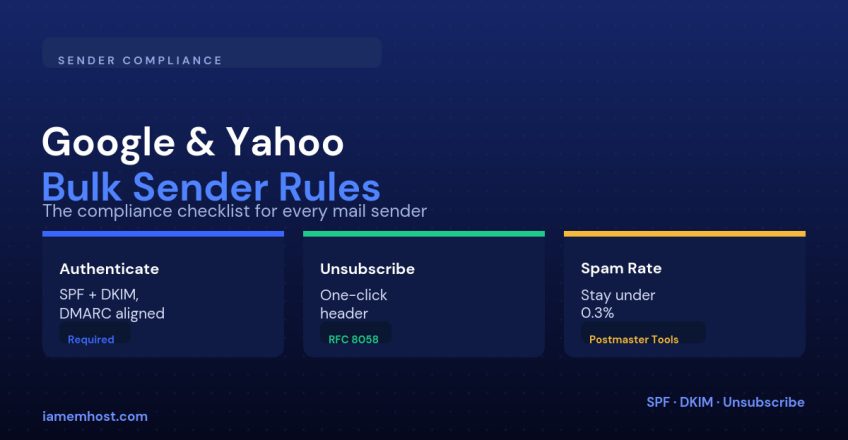
| SPF and DKIM | Every message must pass at least one, and both should be configured |
| DMARC published | At minimum p=none; enforcement recommended once reports are clean |
| Domain alignment | The visible From domain must match the SPF or DKIM authenticated domain |
| One-click unsubscribe | Required on all marketing mail, honored within 48 hours |
| Spam rate below 0.3% | Measured via Google Postmaster Tools; staying under 0.1% is the safe target |
| Valid forward and reverse DNS | Sending IP needs a matching PTR record |
| TLS connection | Messages should be delivered over an encrypted connection (see MTA-STS) |
Implementing One-Click Unsubscribe
This isn’t the same as a link in your footer. It requires specific message headers so mail clients can render a native “Unsubscribe” button next to the sender name:
List-Unsubscribe: ,
List-Unsubscribe-Post: List-Unsubscribe=One-Click
The List-Unsubscribe-Post header tells the mail client it can fire the unsubscribe with a single click (a POST request) rather than opening a page and requiring further confirmation. Most transactional email platforms and marketing tools add these headers automatically once one-click unsubscribe is enabled in settings.
Monitoring Your Spam Rate
Google Postmaster Tools (free, requires domain verification) shows your spam rate as reported by Gmail users clicking “Report spam,” broken down by sending IP and domain over rolling time windows. Yahoo doesn’t offer an equivalent public dashboard, but if you’re also enrolled in a feedback loop through your mail provider, complaint data flows back the same way. Either way, a rising spam rate is usually the first sign that a list needs cleaning or that a campaign send was too aggressive.
What Happens If You Don’t Comply
Non-compliant bulk senders see a mix of temporary 4xx deferrals, outright 5xx rejections, and mail routed straight to spam regardless of content quality. None of it is graceful — there’s no warning email, just declining inbox placement until the underlying gap (usually DMARC alignment or missing unsubscribe headers) is fixed.
Conclusion
None of these requirements are new ideas — they formalize what good senders were already doing. Authenticate every message, align your DMARC domain, make unsubscribing effortless, and watch your complaint rate the way you’d watch server uptime. Do that and the 5,000-message threshold becomes irrelevant, because you’d pass the checklist at any volume.