
A brand-new IP address or sending domain has zero history with mailbox providers — and no history reads as suspicious by default. Send your full daily volume on day one and you’ll see high spam-folder placement and even temporary blocks, regardless of how clean your list is or how well SPF/DKIM/DMARC are configured. Warm-up fixes this by ramping volume gradually, giving providers time to build a reputation profile that says this sender is legitimate.
Why Warm-Up Matters
Reputation-based filtering weighs sending history heavily: consistent volume, low bounce rates, low complaints, and engagement (opens, replies, not being deleted unread) all feed into whether an inbox provider trusts your next message enough to route it to the inbox instead of spam. A cold IP has none of that signal to draw on, so filters default to caution.
Before You Start
| Checklist item | Why |
|---|---|
| SPF, DKIM and DMARC all live and passing | Authentication problems compound reputation problems during warm-up |
| PTR record matches sending hostname | See our reverse DNS guide |
| List limited to recently engaged recipients | Warm-up volume should go to people who actually want the mail |
| No purchased or scraped lists | These guarantee high bounce and complaint rates exactly when you can least afford them |
A Sample 4-Week Ramp
| Week | Daily volume | Recipient priority |
|---|---|---|
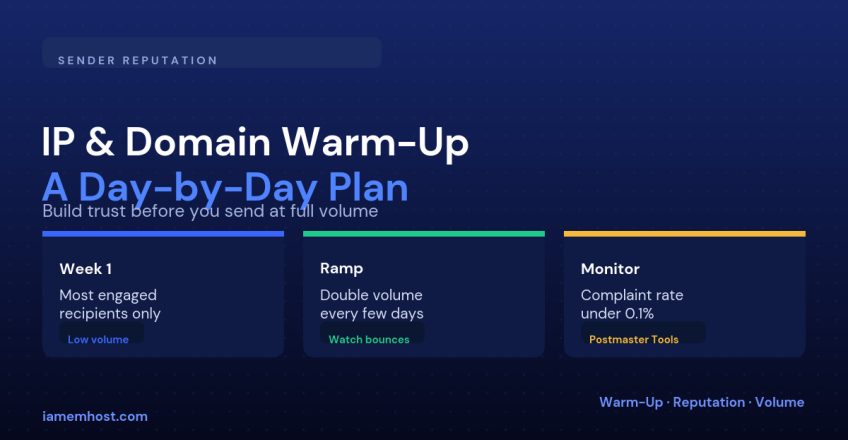
| 1 | 50–200 messages/day | Most engaged: opened or clicked in the last 30 days |
| 2 | Double every 2–3 days | Same engaged segment, gradually widening |
| 3 | Continue doubling if metrics stay clean | Add moderately engaged recipients |
| 4 | Approach full intended volume | Full list, excluding long-inactive addresses |
The exact numbers depend on your total list size and provider — the principle that matters is doubling roughly every few days rather than jumping straight to full volume, and always sending to your most engaged segment first.
What to Watch During Warm-Up
| Metric | Safe target |
|---|---|
| Bounce rate | Under 2% |
| Complaint rate | Under 0.1% |
| Google Postmaster Tools reputation | “High” or “Medium”, not “Bad” |
| Blocklist status | Check periodically — a listing means stop and diagnose before continuing |
If any of these move in the wrong direction, pause the ramp at the current volume for a few extra days rather than pushing forward — a stalled warm-up recovers much faster than one that triggers a block.
Warming Up a Domain vs an IP
The two aren’t identical. A new dedicated IP needs volume-based warm-up as described above. A brand-new sending domain (or subdomain, like mail.example.com) needs the same gradual trust-building even on an already-warm shared IP, because domain reputation is tracked somewhat independently of IP reputation by most large providers.
Common Mistakes
| Mistake | Consequence |
|---|---|
| Loading a purchased list on day one | Immediate high bounce/complaint rate on a reputation with zero buffer |
| Sending a big marketing blast before warm-up finishes | Wipes out the reputation you were building |
| Ignoring engagement segmentation | Sending to inactive addresses first invites spam-trap hits |
Conclusion
Warm-up isn’t a formality — it’s the only way a new IP or domain earns the reputation that inbox placement depends on. Start small with your most engaged recipients, double volume every few days while metrics stay clean, and treat any spike in bounces or complaints as a signal to slow down, not push through.