

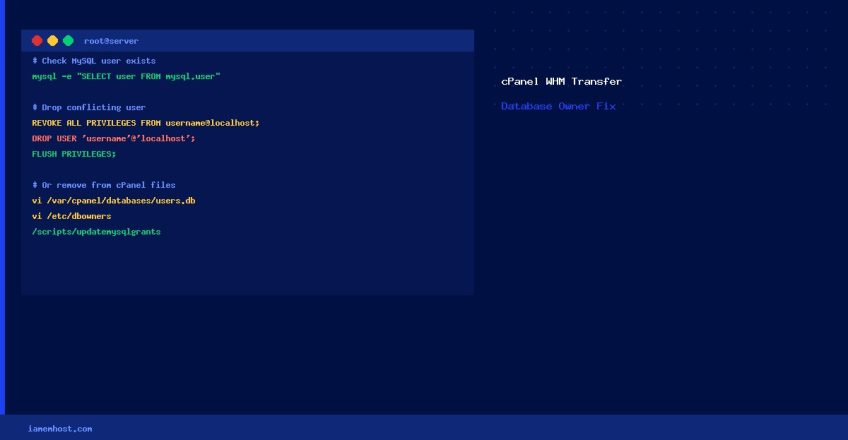

When transferring a cPanel account to a new server via WHM’s Transfer Tool, you may encounter: “This system already has a database owner named [username]”. This happens when a MySQL user or cPanel database ownership record on the destination server conflicts with the account being imported. Here’s how to resolve it.
Step 1 — Check if the MySQL User Actually Exists
mysql -e "SELECT user, host FROM mysql.user WHERE user = 'conflicting_username';"If the User Exists in MySQL — Drop It
First revoke all privileges, then drop the user:
mysql -e "REVOKE ALL PRIVILEGES, GRANT OPTION FROM 'db_username'@'localhost';"
mysql -e "DROP USER 'db_username'@'localhost';"
mysql -e "FLUSH PRIVILEGES;"
Verify the user is gone:
mysql -e "SELECT user FROM mysql.user WHERE user='db_username';"
# Should return empty result
If the User Does NOT Exist in MySQL — Remove Stale cPanel Records
cPanel maintains its own database ownership files that can fall out of sync with MySQL. Remove the stale references:
# Remove entry from cPanel database users map
vi /var/cpanel/databases/users.db
# Find and delete the line containing the conflicting username

# Also clean the db owners file
vi /etc/dbowners
# Find and delete the conflicting username line
After editing both files, run a cPanel sync to ensure consistency:
/usr/local/cpanel/bin/dbindex
/scripts/updatemysqlgrants
Step 2 — Retry the Account Transfer
Return to WHM → Transfers → Transfer Tool (or Copy an Account from Another Server) and retry. The conflict should now be resolved.
Prevention: Check for Conflicts Before Transfer
# List all DB users on the destination to identify conflicts before transfer
mysql -e "SELECT user FROM mysql.user ORDER BY user;" | grep "^username_prefix"

# Check cPanel ownership records
grep "conflicting_user" /var/cpanel/databases/users.db /etc/dbowners 2>/dev/null
How to Log All SFTP Transactions to a Dedicated Log File
Iamem HostingHow to Restrict WordPress Admin to Specific IP Addresses
Iamem Hosting