
Restricting the WordPress admin area (/wp-admin/ and wp-login.php) to specific IP addresses is one of the fastest ways to stop brute-force attacks — bots never reach the login form. This guide provides the correct Apache 2.4 method (used on all modern cPanel servers) plus an alternative approach via wp-config.php.
Method 1: .htaccess with Apache 2.4 (Recommended)
Add the following to the root .htaccess file of your WordPress installation (the same file that contains the WordPress permalink rules):
# Block wp-login.php and /wp-admin/ to all except listed IPs


        Require ip 203.0.113.10
        Require ip 198.51.100.25
        Require ip 192.168.1.0/24


    RewriteEngine on
    RewriteCond %{REQUEST_URI} ^/wp-admin/ [NC]
    RewriteCond %{REMOTE_ADDR} !^203.0.113.10$
    RewriteCond %{REMOTE_ADDR} !^198.51.100.25$
    RewriteCond %{REMOTE_ADDR} !^192.168.1.[0-9]+$
    RewriteRule ^ - [R=403,L]
Replace the example IPs with your own. Use curl -s https://ifconfig.me from your local machine to find your current public IP.
Method 2: Separate .htaccess in wp-admin Directory
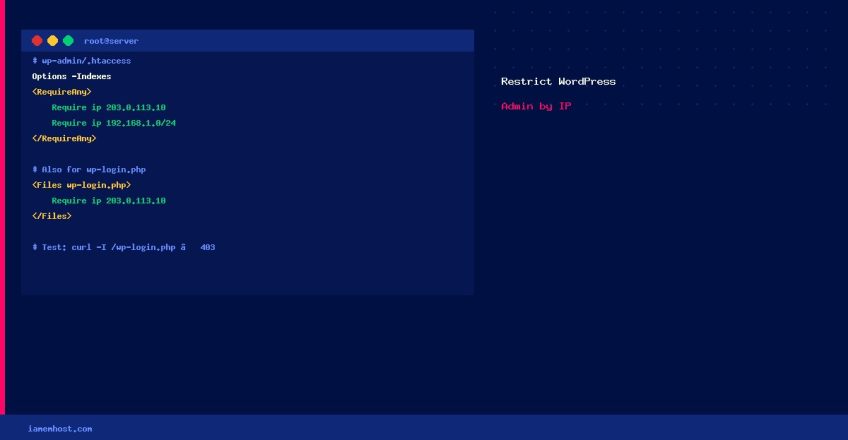
Create a new file at wp-admin/.htaccess — this is cleaner as it only affects the admin directory:
Options -Indexes

    Require ip 203.0.113.10
    Require ip 198.51.100.25
    Require ip 192.168.1.0/24
Note: This protects /wp-admin/ but not wp-login.php — combine with the <Files wp-login.php> block above for full coverage.
Handling Dynamic IPs
- VPN — use a VPN with a fixed exit IP and allowlist that IP
- Two-Factor Authentication — install a WordPress 2FA plugin (e.g., WP 2FA) as a complement
- Cloudflare Zero Trust — if on Cloudflare, protect the admin URL with identity-based access
- Limit Login Attempts Reloaded — add a lockout plugin for extra protection when IP restriction isn’t feasible
Lock-out Recovery
If you accidentally block yourself: use cPanel File Manager to edit or delete the .htaccess file. Enable “Show Hidden Files” in File Manager settings first.
Verify It’s Working
# Test from the server (not in your allowlist)
curl -I https://yourdomain.com/wp-login.php
# Expected: HTTP/2 403