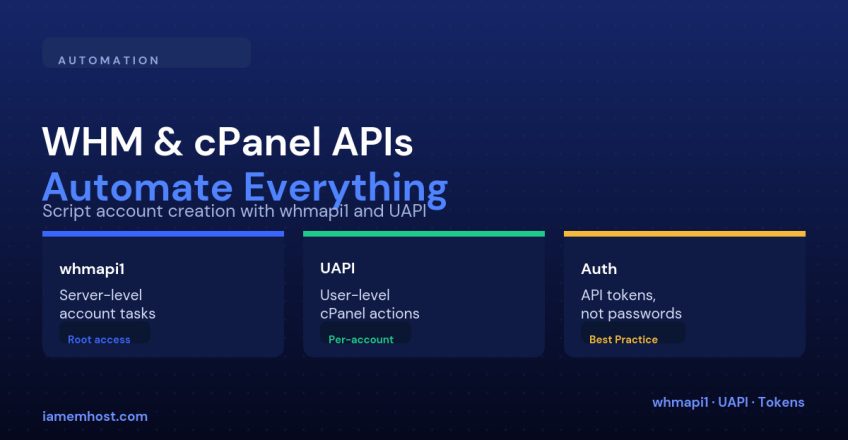

Anything you can click in WHM or cPanel, you can script — and if you’re provisioning more than a handful of accounts, you should. cPanel exposes two separate APIs depending on which layer you’re automating: whmapi1 for server/root-level operations, and UAPI for actions inside a single cPanel account. Knowing which one to reach for — and authenticating correctly — is most of the learning curve.
whmapi1 vs UAPI
| API | Runs as | Typical use |
|---|---|---|
| whmapi1 | root / WHM reseller | Create, suspend, terminate accounts; list packages; manage DNS zones server-wide |
| UAPI | The cPanel account itself | Create an email address, manage a database, list domains — anything a cPanel user could do themselves |
| cpanel API (legacy, API1/API2) | The cPanel account | Deprecated in favor of UAPI — avoid for new scripts |
Authenticating: Use an API Token, Not a Password
Never embed your WHM root password in a script. Generate a scoped API token instead — WHM → Development → Manage API Tokens — which can be restricted to specific ACLs and revoked independently without touching the account password:
curl -sk 'https://server.example.com:2087/json-api/whmapi1?api.version=1&function=listaccts'
  -H 'Authorization: whm root:API_TOKEN_HERE'
For UAPI, the same token pattern applies but the call is scoped to a specific cPanel user via cPanel’s own API endpoint (port 2083), or proxied through WHM on behalf of that user.
Example: Create a cPanel Account via whmapi1
curl -sk 'https://server.example.com:2087/json-api/createacct'
  -H 'Authorization: whm root:API_TOKEN_HERE'
  --data-urlencode 'username=newclient'
  --data-urlencode 'domain=newclient.com'
  --data-urlencode 'plan=business'
  --data-urlencode 'contactemail=admin@newclient.com'
Example: Create an Email Account via UAPI
This runs in the context of the cPanel user newclient, not root:
curl -sk 'https://server.example.com:2083/execute/Email/add_pop'
  -H 'Authorization: cpanel newclient:API_TOKEN_HERE'
  --data-urlencode 'email=support'
  --data-urlencode 'domain=newclient.com'
  --data-urlencode 'password=GeneratedStrongPassword123!'
  --data-urlencode 'quota=1024'
Reading the Response
Both APIs return JSON with a consistent metadata.result field — 1 for success, 0 for failure, with a reason string explaining what went wrong. Always check this field in scripts rather than assuming an HTTP 200 means the operation succeeded; cPanel returns 200 even for a failed API call, with the error inside the JSON body.
{n "metadata": { "result": 1, "reason": "OK", "version": 1 },n "data": { "..." : "..." }n}Where This Pays Off
| Use case | API |
|---|---|
| WHMCS or a custom billing system provisioning new signups | whmapi1 |
| A migration script bulk-creating email accounts after a domain move | UAPI |
| A monitoring script checking disk usage across all accounts | whmapi1 (list_accounts, get_domain_info) |
| A self-service portal letting customers manage their own subdomains | UAPI, scoped to that customer’s token only |
Conclusion
whmapi1 operates at the server/root level; UAPI operates inside a single account. Authenticate both with scoped API tokens rather than passwords, always check metadata.result in the response rather than trusting the HTTP status code, and you can turn almost any repetitive WHM or cPanel task — account creation, email provisioning, DNS updates — into a script that runs in seconds instead of minutes of clicking.