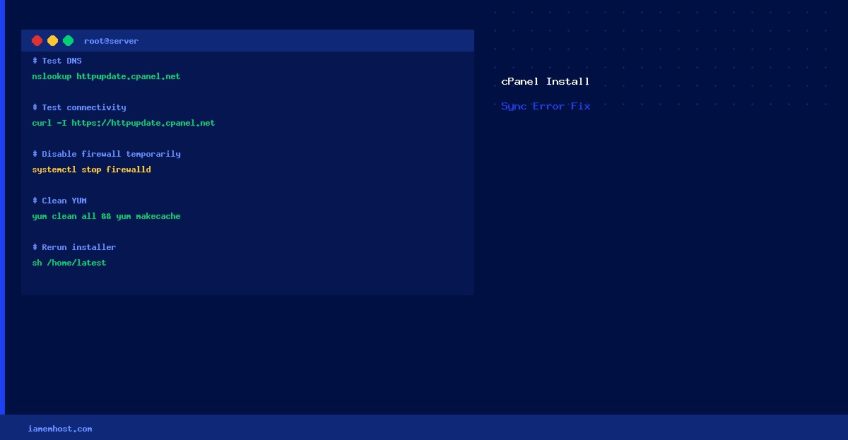

During a fresh cPanel/WHM installation, you may encounter: “The installation process was unable to synchronize cPanel & WHM. Verify that your network can connect to httpupdate.cpanel.net and rerun the installer.” This is a network connectivity issue during the installation’s update phase. Here’s how to diagnose and fix it.
Step 1 — Verify DNS Resolution
# Test DNS resolution
nslookup httpupdate.cpanel.net
# Or:
dig httpupdate.cpanel.net +short

# Check /etc/resolv.conf has valid nameservers
cat /etc/resolv.conf
# Should have at least: nameserver 8.8.8.8 or nameserver 1.1.1.1
If DNS is broken, add reliable nameservers:
echo "nameserver 8.8.8.8" >> /etc/resolv.conf
echo "nameserver 1.1.1.1" >> /etc/resolv.conf
Step 2 — Test Connectivity to cPanel Update Servers
# Test HTTP/HTTPS connectivity
curl -v https://httpupdate.cpanel.net
# or
wget -q --spider https://httpupdate.cpanel.net && echo "Reachable" || echo "Blocked"
Step 3 — Temporarily Disable the Firewall
A firewall blocking outbound HTTPS is a common cause. Temporarily disable it during installation:
# firewalld (RHEL 7+/AlmaLinux)
systemctl stop firewalld

# CSF (if already partially installed)
csf -x

# iptables (legacy)
iptables -F
iptables -X
Re-enable the firewall after installation completes and configure it to allow outbound 80/443.
Step 4 — Clear Incomplete YUM Transactions
# CentOS 7
yum-complete-transaction --cleanup-only
yum clean all

# AlmaLinux 8/9
dnf clean all
dnf makecache
Step 5 — Rerun the Installer
cd /home && curl -o latest -L https://securedownloads.cpanel.net/latest && sh latestThe installer is idempotent — it is safe to rerun and will pick up from where it left off.
Troubleshooting Checklist
| Check | Command |
|---|---|
| DNS resolving | nslookup httpupdate.cpanel.net |
| Outbound HTTPS | curl -I https://httpupdate.cpanel.net |
| Firewall blocking | iptables -L -n | grep DROP |
| Server date/time correct | date — SSL fails if clock is wrong; fix with ntpdate pool.ntp.org |
| SELinux blocking | getenforce — set to Permissive temporarily: setenforce 0 |