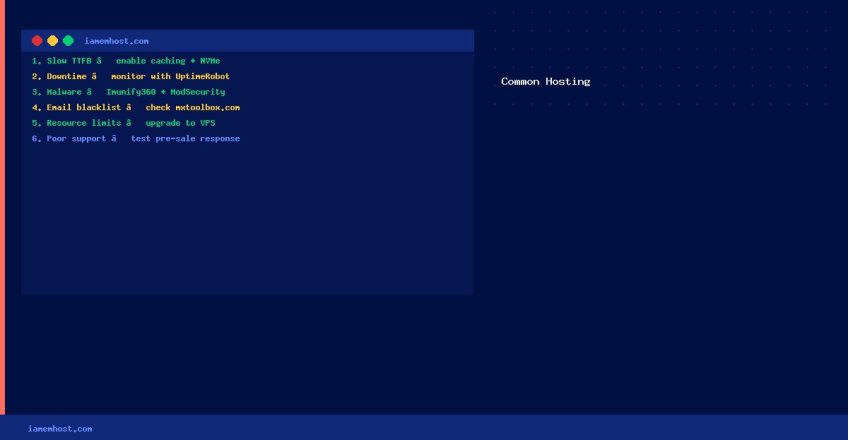

Even the best web hosting companies encounter recurring issues. Understanding the most common web hosting problems — and how to identify whether they stem from your host, your website, or your configuration — helps you resolve incidents faster and make better decisions when choosing or switching providers.
1. Slow Website Loading Times
Slow load times are the most common complaint. They can originate from the hosting server, the website itself, or the network between them.
- Server-side causes: Overloaded shared hosting, insufficient RAM, slow disk I/O, PHP configuration
- Website causes: Unoptimised images, too many plugins, uncached database queries, no CDN
- How to diagnose: Use GTmetrix or WebPageTest to separate server response time (TTFB) from rendering time
2. Downtime and Availability Issues
Most hosting providers advertise 99.9% uptime — but this still allows ~8.7 hours of downtime per year. Common causes include hardware failure, maintenance windows, DDoS attacks, and misconfigured software.
- Monitor your site with free tools like UptimeRobot to get instant alerts
- Check your host’s historical uptime reports and incident history
- Consider managed hosting with SLA-backed uptime guarantees for business-critical sites
3. Security Vulnerabilities and Malware
Shared hosting environments are particularly susceptible to cross-account contamination if one account on the server is compromised. Signs include:
- Unexplained email bounce messages or blacklisting
- Google Search Console showing “This site may be hacked” warnings
- Unexpected files in your web root
Prevention: Keep WordPress/Joomla/plugins updated, use Imunify360 or Maldet, enable ModSecurity WAF, restrict file permissions.
4. Email Delivery Problems
Shared hosting IPs are frequently blacklisted due to other customers sending spam. Check your server IP against blacklists at MXToolbox. Ensure SPF, DKIM, and DMARC DNS records are properly configured.
5. Resource Limits on Shared Hosting
Most shared hosting plans enforce CPU, RAM, and simultaneous connection limits. When exceeded, PHP scripts time out, databases disconnect, or the account is throttled. Solutions:
- Optimise queries and enable object caching (Redis/Memcached)
- Upgrade to VPS hosting if consistently hitting limits
- Use a CDN to offload static asset delivery from the origin server
6. Poor Customer Support
Before signing up with a hosting provider, test their support response time by raising a pre-sale technical question. Look for providers that offer:
- 24/7 live chat or phone support with sub-5-minute response times
- Technical staff (not just sales agents) who can diagnose server-level issues
- A published status page and incident communication history