
When your Exim mail queue fills up with spam or bounced messages, server performance degrades and legitimate emails may be delayed. This guide provides the commands to safely clear different types of messages from the Exim queue.
⚠ Important: Check Before Deleting
Always inspect the queue before bulk-deleting. Legitimate emails waiting for delivery will also be removed. Run exim -bp | head -50 to review queued messages first.
Delete All Messages in the Queue
# Delete every message in the queue (use with caution!)
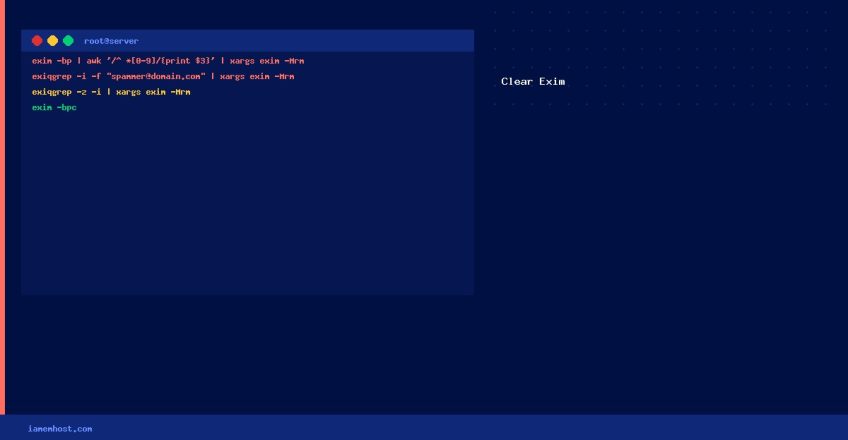
exim -bp | awk '/^ *[0-9]/{print $3}' | xargs exim -Mrm
Delete All Messages from a Specific Sender
# Delete all messages FROM a specific email address
exiqgrep -i -f 'spammer@domain.com' | xargs exim -Mrm

# Delete all messages TO a specific recipient
exiqgrep -i -r 'recipient@example.com' | xargs exim -Mrm
Delete Frozen Messages
# Delete all frozen messages (safe to remove — these are stuck and not delivering)
exiqgrep -z -i | xargs exim -Mrm

# Count frozen messages first
exiqgrep -z -c
Delete Messages with Specific Subject/Content
# Find IDs of messages containing a specific subject
exiqgrep -i | awk '{ print "exim -Mvh "$1 }' | sh | grep -B1 "Subject: SPAM" | grep -v Subject | xargs exim -Mrm
Freeze Instead of Delete (Safer)
# Freeze all messages from a sender (stops delivery without deletion — review first)
exiqgrep -i -f 'spammer@domain.com' | xargs exim -Mf
Quick Reference
| Task | Command |
|---|---|
| Delete ALL queued messages | exim -bp | awk '/^ *[0-9]/{print $3}' | xargs exim -Mrm |
| Delete from sender | exiqgrep -i -f 'user@domain' | xargs exim -Mrm |
| Delete all frozen | exiqgrep -z -i | xargs exim -Mrm |
| Count queue | exim -bpc |
| Force queue run | exim -qff |