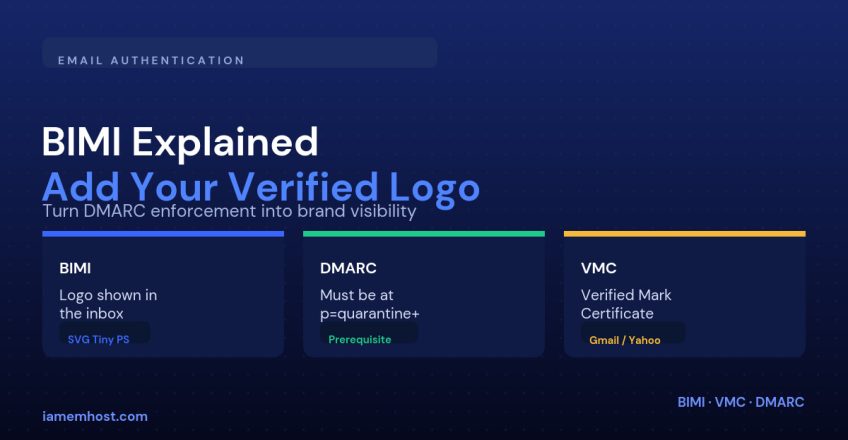

Brand Indicators for Message Identification (BIMI) puts your logo next to your emails in the inbox — right where the profile photo normally sits. It doesn’t improve deliverability directly, but it builds instant recognition and trust, and it’s a strong signal to recipients that a message is genuinely from you rather than a spoofed look-alike. BIMI is also a reward mechanism: mailbox providers only show the logo once you’ve proven, cryptographically, that you own the domain.
What BIMI Actually Requires
| Requirement | Why it matters |
|---|---|
| SPF and DKIM passing | BIMI is built on top of existing authentication — it adds nothing if the basics are broken |
| DMARC at enforcement | Most providers require p=quarantine or p=reject at pct=100, not p=none |
| A square SVG logo | Must follow the SVG Tiny 1.2 Portable/Secure (PS) profile, not a regular SVG export |
| A public HTTPS URL for the logo | The mailbox provider fetches it directly — no login walls, no redirects |
| A Verified Mark Certificate (VMC) | Required by Gmail and Yahoo to actually display the logo; not required by every mailbox provider |
Step 1: Get DMARC to Enforcement First
If you’re still publishing p=none, start there — see our guide on configuring SPF, DKIM and DMARC. BIMI evaluators check that your DMARC record is at enforcement across effectively all your mail volume:
_dmarc.example.com. TXT "v=DMARC1; p=quarantine; pct=100; rua=mailto:dmarc@example.com"Step 2: Prepare a Compliant Logo
Regular SVG files exported from Illustrator or Figma will almost always fail BIMI validation because they carry scripts, styles or metadata the SVG Tiny PS profile forbids. You need a square, centered logo with no animation and no external references, converted specifically to the Portable/Secure subset. Several free online BIMI SVG converters and validators exist — run your file through one before publishing.
Step 3: Publish the BIMI DNS Record
The record lives at the default._bimi selector and points to your hosted logo (and, if you have one, your VMC):
default._bimi.example.com. TXT "v=BIMI1; l=https://example.com/bimi/logo.svg; a=https://example.com/bimi/vmc.pem"If you don’t have a VMC yet, omit the a= tag entirely rather than pointing it at nothing:
default._bimi.example.com. TXT "v=BIMI1; l=https://example.com/bimi/logo.svg;"Do You Need a Verified Mark Certificate?
A VMC is a paid certificate, issued by a small number of authorized certificate authorities, that proves you legally hold the trademark rights to the logo. Gmail and Yahoo currently require a valid VMC before they’ll render the logo at all; without one your BIMI record can still be perfectly valid DNS and simply produce no visible effect in those inboxes. Other providers are less strict, so it’s worth publishing the record even before you decide whether the VMC cost is justified for your business.
Validating Your Setup
dig +short TXT default._bimi.example.com
dig +short TXT _dmarc.example.com
Then send a real message to a Gmail or Yahoo account you control and check whether the logo appears next to the sender name. If it doesn’t, work through the checklist in order — DMARC enforcement, valid SVG profile, reachable HTTPS URL, then the VMC — because providers fail silently rather than telling you which check tripped.
Conclusion
BIMI is the payoff for doing email authentication properly: SPF, DKIM and DMARC prove who you are, and BIMI turns that proof into a visible logo in the inbox. Get DMARC to enforcement first, build a spec-compliant SVG, publish the DNS record, and budget for a VMC if Gmail and Yahoo inboxes matter to your audience.