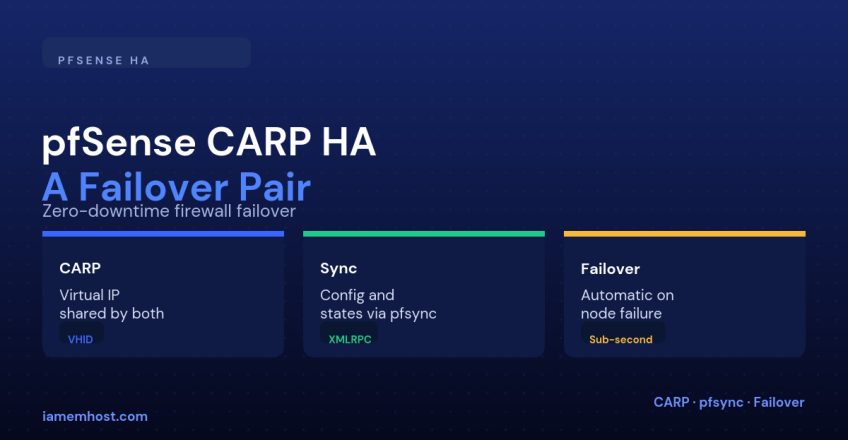

A single pfSense box is, like any single appliance, a hard outage waiting to happen — a power supply, NIC, or disk failure takes your entire internet edge down with it. pfSense’s built-in CARP (Common Address Redundancy Protocol) support turns two firewalls into an active/backup pair sharing a virtual IP, so clients keep talking to the same address regardless of which physical box is actually answering.
How CARP Works, Conceptually
| Concept | Explanation |
|---|---|
| Virtual IP (VIP) | A shared IP address that clients and downstream devices actually point to — not either firewall’s real IP |
| VHID (Virtual Host ID) | Identifies which CARP group a VIP belongs to; must match between the two nodes for the same VIP |
| Master/Backup | One node actively answers for the VIP (master); the other listens for heartbeats and takes over if they stop (backup) |
| pfsync | A separate protocol that continuously replicates firewall state table entries, so active connections survive a failover instead of being dropped |
Step 1: Dedicate a Sync Interface
Use a direct cable or dedicated VLAN between the two firewalls purely for CARP heartbeats and pfsync state replication — don’t share it with production traffic:
Interfaces > (dedicated NIC) > enable, assign as "SYNC"
  IP: 10.255.255.1/30 (primary)   10.255.255.2/30 (secondary)
Step 2: Configure High Availability Sync
System > High Avail. Sync
  Synchronize Interface: SYNC
  Synchronize States: enabled
  Synchronize Config: enabled (rules, NAT, users, etc.)
  Remote System Username/Password: (secondary node's admin credentials)
Enabling config sync means you should only ever make changes on the primary node afterward — it pushes its configuration to the secondary automatically, and edits made directly on the secondary can be silently overwritten.
Step 3: Create the CARP Virtual IPs
Firewall > Virtual IPs > Add
  Type: CARP
  Interface: WAN
  Address: 203.0.113.1/24
  VHID: 1
  Advertising Frequency: base 1, skew 0 (primary) / skew 100 (secondary)

# Repeat for the LAN-facing VIP with a different VHID, e.g. VHID 2
Skew controls priority: a lower skew value wins as master when both nodes are healthy, so the primary gets skew 0 and the secondary gets a higher skew like 100.
Step 4: Point Everything at the VIP, Not a Real Interface IP
Downstream devices, DHCP’s gateway option, and any NAT/port-forward rules should all reference the CARP VIP — never a specific node’s own address — otherwise failover doesn’t help those particular flows.
Verifying and Testing Failover
Status > CARP (failover)
# Confirms which node currently holds MASTER for each VHID

# Test: on the primary, temporarily disable the WAN interface
# and confirm the secondary takes over MASTER within a second or two,
# and that an existing ping/SSH session doesn't drop
Conclusion
CARP plus pfsync is what turns two separate pfSense boxes into one resilient firewall from the network’s point of view: a shared virtual IP that always answers, and a synchronized state table so existing connections survive the handoff. The two things people most often get wrong are pointing devices at a real interface IP instead of the VIP, and making config changes on the secondary node after sync is enabled — avoid both and failover genuinely becomes a non-event.