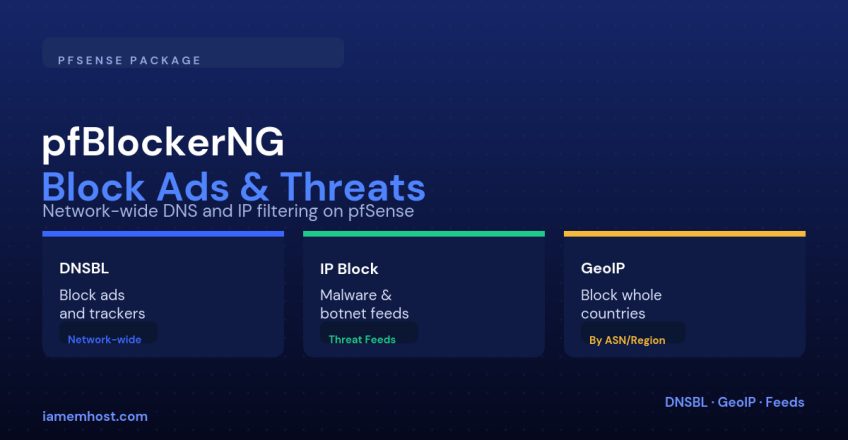

Ad-blocker browser extensions only protect the browser they’re installed in, and only on the device that has them. pfBlockerNG runs at the firewall instead, so every device on the network — laptops, phones, IoT gadgets that will never get an extension installed — gets the same DNS-based ad/tracker blocking, plus IP-reputation and country-level filtering that a browser extension can’t do at all.
The Three Things pfBlockerNG Does
| Feature | Mechanism |
|---|---|
| DNSBL (DNS blocklist) | Resolves known ad/tracker/malware domains to a blackhole address instead of their real IP |
| IP reputation / IPv4 blocking | Blocks traffic to/from IP ranges published in threat-intelligence feeds (botnets, known scanners, spam sources) |
| GeoIP blocking | Blocks or permits traffic based on the country an IP is registered to, using MaxMind’s GeoLite2 database |
Step 1: Install the Package
System > Package Manager > Available Packages > search "pfBlockerNG-devel" > InstallUse the -devel branch — it’s the actively maintained version and has been the recommended choice for some time.
Step 2: Run the Initial Wizard
Firewall > pfBlockerNG > Wizard
  DNSBL: enable, bind to an unused internal IP for the blackhole
  IPv4: enable, select a starter feed set (e.g. abuse.ch, Emerging Threats)
  GeoIP: provide a free MaxMind license key when prompted
Step 3: Configure DNSBL Feeds
Under DNSBL → Feeds, enable curated lists rather than piling on every list available — more lists means more false positives and a larger blocklist for the firewall to hold in memory:
| Feed category | Example use |
|---|---|
| Ads/tracking | EasyList, EasyPrivacy equivalents packaged for pfBlockerNG |
| Malware/phishing | Feeds aggregating known malicious domains |
| Custom allowlist | Always keep one — DNSBL false-positives on a business-critical domain are the most common support complaint |
Step 4: Configure GeoIP Blocking
Set up per-country aliases and reference them in firewall rules rather than blocking countries within pfBlockerNG’s own interface directly — this keeps the logic visible in your normal firewall rule set:
Firewall > pfBlockerNG > IP > GeoIP
  Create alias: Block_Countries (e.g. select high-risk regions for your specific threat model)

Firewall > Rules > WAN
  Action: Block
  Source: Block_Countries alias
  (place above any Allow rules it should override)
Keeping It From Breaking Things
| Pitfall | Fix |
|---|---|
| DNSBL blocks a legitimate business domain (false positive) | Add it to the DNSBL allowlist immediately, don’t disable DNSBL entirely |
| GeoIP blocks a country your remote staff actually travel to | Add specific known IPs to an allowlist alias above the GeoIP block rule |
| Feed update schedule set too aggressively | Cron-based updates (Update tab) once or twice daily is plenty for most feeds |
| Firewall table memory usage grows unbounded | Prune unused/overlapping feeds rather than enabling everything available |
Conclusion
pfBlockerNG moves ad, tracker, and malicious-IP blocking from an individual-device setting to a network-wide firewall policy — and adds GeoIP filtering that no browser extension can replicate. Start with a small, curated set of feeds, keep an allowlist ready from day one, and treat it the way you’d treat any other firewall rule set: reviewed periodically, not “set once and forgotten.”