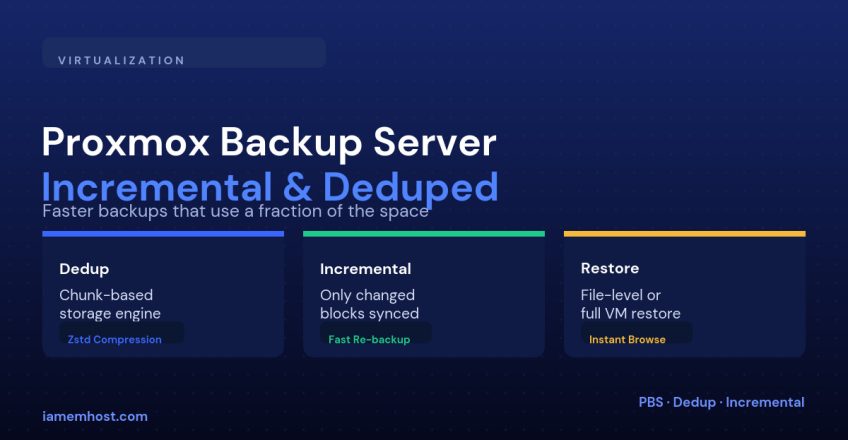

The default vzdump backup built into Proxmox VE works, but it re-copies the full VM disk every single run — slow, and wasteful of storage when most of a 100GB disk hasn’t changed since yesterday. Proxmox Backup Server (PBS) is a separate, free product built specifically to fix that: it breaks disk images into content-addressed chunks, so unchanged data is never stored or transferred twice.
How the Chunk Store Works
| Concept | What it means |
|---|---|
| Chunking | Each VM disk is split into variable-sized chunks based on content, not fixed offsets |
| Content addressing | Each chunk is stored once, named by its own checksum — identical chunks across VMs or backup runs are only stored once, server-wide |
| Incremental sync | A new backup run only needs to upload chunks that don’t already exist in the datastore |
| Compression | Chunks are compressed with Zstandard before storage, on top of the deduplication savings |
In practice this means the first backup of a VM takes roughly as long as a normal full backup, but every backup after that is often a fraction of the time and space — because most of a running VM’s disk doesn’t change day to day.
Step 1: Set Up the PBS Datastore
# On the Proxmox Backup Server
proxmox-backup-manager datastore create vm-backups /mnt/backup-disk
proxmox-backup-manager user create backup@pbs --password
Step 2: Add PBS as Storage in Proxmox VE
Datacenter > Storage > Add > Proxmox Backup Server
  Server: pbs.example.com
  Datastore: vm-backups
  Username: backup@pbs
  Fingerprint: (shown on the PBS server's dashboard)
Step 3: Schedule Backup Jobs
Datacenter > Backup > Add
  Storage: vm-backups (PBS)
  Schedule: daily 02:00
  Mode: snapshot
  Retention: keep-daily=7, keep-weekly=4, keep-monthly=6
PBS’s retention (“prune”) settings work on top of the deduplicated store — keeping 30 daily snapshots of a VM doesn’t cost 30x the disk space, because most chunks are shared across those snapshots.
Restoring Without a Full VM Restore
PBS’s file-level restore lets you mount a specific backup snapshot and browse or download individual files — useful when someone needs one accidentally-deleted file back, not the whole VM rolled back to yesterday:
proxmox-backup-client restore vm/101/2026-09-16T02:00:00Z drive-scsi0.img.fidx /mnt/restore --repository backup@pbs@pbs.example.com:vm-backupsPBS vs vzdump-Only Backups
| vzdump to local/NFS storage | Proxmox Backup Server | |
|---|---|---|
| Space usage over time | Grows linearly with each full backup | Grows mainly with actual data changes |
| Backup speed after the first run | Same every time | Much faster — only new chunks transfer |
| File-level restore | Not built in | Native, without restoring the whole VM |
| Setup effort | None — built into Proxmox VE | Requires a separate PBS instance (can be a VM itself, ideally on separate hardware) |
Conclusion
Proxmox Backup Server turns backup storage from “however many terabytes times however many days you keep” into something closer to “how much data actually changes.” It costs a bit of setup — a separate datastore and, ideally, separate hardware from what it’s backing up — but for any environment doing daily VM backups it pays for itself in storage and backup-window time within the first week.