
Mail that was delivering fine suddenly starts bouncing, or a receiving server’s rejection message mentions a domain like zen.spamhaus.org or b.barracudacentral.org. That’s a DNS-based blocklist (DNSBL) — a real-time, queryable list of IP addresses reported for sending spam, running an open relay, or being part of a botnet. Almost every one of these has a free, self-service way to get removed once the underlying cause is actually fixed.
Step 1: Confirm You’re Actually Listed
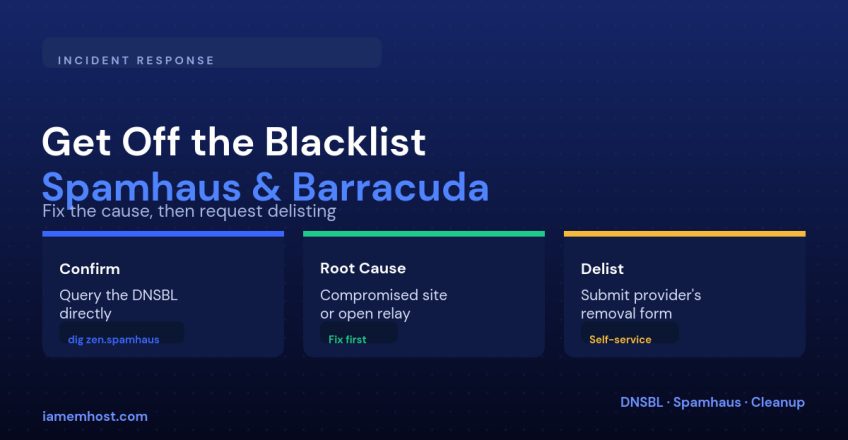
Query the blocklist directly rather than trusting a bounce message alone — the format reverses your IP octets and appends the DNSBL’s zone:
# Checking if 198.51.100.7 is listed on Spamhaus ZEN
dig +short 7.100.51.198.zen.spamhaus.org

# Any A record response (e.g. 127.0.0.4) means it's listed;
# no response at all means it's clean on that particular list
Run the same reversed-octet query against each blocklist mentioned in your bounce logs, since a single incident can land you on more than one simultaneously.
Step 2: Find the Root Cause Before You Do Anything Else
| Common cause | How it usually happens |
|---|---|
| Compromised WordPress or CMS site | A plugin vulnerability lets an attacker send spam through the server’s mail() function |
| Open relay misconfiguration | Mail server accepts and forwards mail for domains it shouldn’t |
| Compromised email account | A weak or reused password lets an attacker send spam through a real mailbox |
| Purchased or scraped recipient list | High complaint rate reported directly to the blocklist operator |
| Shared IP, another tenant’s abuse | On shared hosting, someone else on the same IP triggered the listing |
Step 3: Fix It Before You Request Removal
Requesting delisting before the cause is resolved almost always fails review, and on some lists it burns a limited number of removal attempts. Work through this before submitting anything:
# Check the mail queue for a spam flood
exiqgrep -f 'noreply@' | wc -l    # Exim
mailq | grep -c '^[A-Z0-9]'        # Postfix

# Clear a confirmed spam flood
exiqgrep -f 'attacker@compromised-domain.com' -i | xargs exim -Mrm   # Exim
Change every credential that could have been compromised, patch or remove the vulnerable plugin/script, and confirm the outbound spam has actually stopped — not just slowed down — before moving on.
Step 4: Request Removal
| Blocklist | How to request removal |
|---|---|
| Spamhaus (SBL/CSS/XBL) | Their public removal lookup and form at their website, per listed IP; explain the remediation performed |
| Barracuda Reputation Block List (BRBL) | Barracuda’s public reputation lookup page has a self-service removal request |
| SORBS and most smaller DNSBLs | Web-based removal form, often instant for automatically-expiring listings |
How Long It Takes
Automatically-maintained lists (many exploit/botnet-based ones) often clear on their own within hours once the abusive traffic stops, since they continuously re-test listed IPs. Manually reviewed lists like Spamhaus’s SBL can take longer because a person verifies the remediation before approving removal — padding your removal request with specifics (what was compromised, what was patched, when the spam stopped) speeds that review up considerably.
Preventing Re-Listing
| Preventive measure | Protects against |
|---|---|
Disable PHP’s mail() where not needed, route through authenticated SMTP | Compromised scripts spamming silently |
| Keep CMS, plugins and mail software patched | Known-vulnerability exploitation |
| Rate-limit outbound mail per account/script | Runaway sends before you notice |
| Monitor mail queue size and set alerts | Catching a flood in minutes instead of days |
Conclusion
A blocklist listing is a symptom, not the disease — fix the compromise or misconfiguration that caused it first, confirm the abusive traffic has genuinely stopped, and only then submit a removal request with the specifics of what you fixed. Skip straight to the removal form and you’ll likely be back on the list within days.