
SPF, DKIM and DMARC all live in your domain’s forward DNS zone, which you control directly. PTR records don’t — they live in the reverse DNS zone for the IP address itself, which belongs to whoever owns that IP block, usually your hosting or cloud provider. Miss this one and no amount of SPF/DKIM/DMARC tuning will fix it, because many receiving servers check PTR before they even look at the message headers.
What Receivers Actually Check: FCrDNS
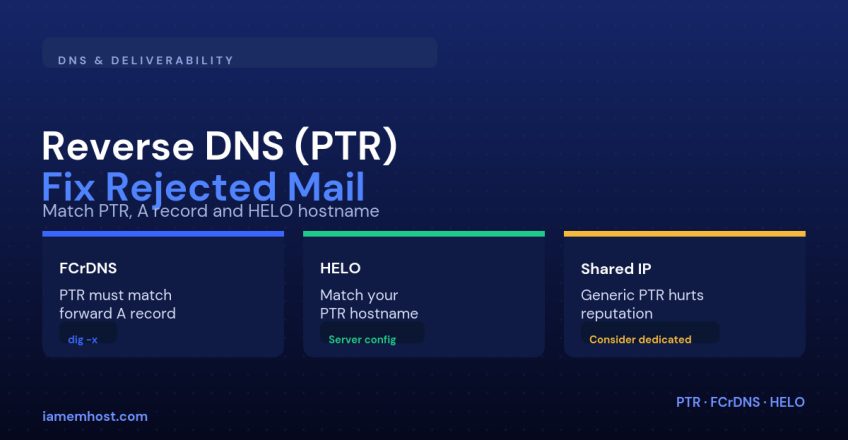
Forward-Confirmed reverse DNS is a two-step lookup: take the connecting IP, find its PTR record (the hostname), then look up that hostname’s own A record and confirm it points back to the same IP. If that round trip doesn’t match, or there’s no PTR record at all, plenty of receiving servers treat the connection with suspicion or reject it outright — a bare, unresolvable sending IP is one of the oldest and most reliable spam signals there is.
Checking Your Current PTR Record
dig -x 203.0.113.42 +short
# should return something like: mail.example.com.

dig +short mail.example.com
# should return: 203.0.113.42
How to Set or Change It
Because the reverse zone belongs to the IP’s owner, you generally can’t add a PTR record through your domain’s own DNS panel. On most hosting setups:
| Environment | Where to fix it |
|---|---|
| cPanel/WHM VPS or dedicated server | WHM → Edit DNS Zone (for the provider-delegated reverse zone), or a support ticket if reverse DNS isn’t self-service |
| Cloud VM (AWS, GCP, Azure, etc.) | Provider’s network console lets you set PTR directly against the elastic/public IP |
| Shared hosting | You don’t control it at all — it’s whatever hostname the shared IP was assigned |
Matching HELO to Your PTR Hostname
It isn’t enough for the PTR record to exist — your mail server should also identify itself with that exact hostname during the SMTP HELO/EHLO greeting. A mismatch here is a second red flag some filters check independently of FCrDNS.
# Postfix
smtp_helo_name = mail.example.com

# Exim
primary_hostname = mail.example.com
Shared IP Pitfalls
On shared hosting, your outgoing mail typically leaves via an IP with a generic PTR like server123.hostingprovider.com, shared across every other domain on that server. Their sending reputation becomes your reputation — a handful of compromised WordPress sites sending spam through that same IP can tank deliverability for everyone else on it. If outbound email volume or reputation genuinely matters for your business, that’s the point to move to a dedicated IP with a PTR record you control end to end.
| Mistake | Result |
|---|---|
| No PTR record at all | Outright rejection by many mail servers |
| PTR resolves but forward lookup doesn’t match (broken FCrDNS) | Treated the same as having no PTR at all |
| HELO hostname doesn’t match PTR | Extra suspicion score on some spam filters |
| Generic shared-hosting PTR for business-critical mail | Reputation tied to every other tenant on the IP |
Conclusion
PTR is the one authentication-adjacent control that lives outside your domain’s own DNS, which is exactly why it gets overlooked. Confirm FCrDNS resolves cleanly in both directions, make sure your HELO hostname matches it, and if you’re on a shared IP with real deliverability requirements, that mismatch is usually the first thing worth fixing before you touch anything else.