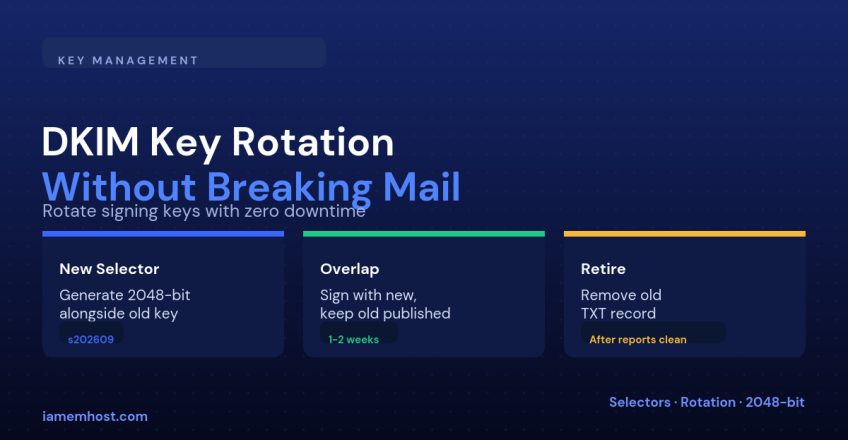

DKIM keys don’t expire on their own, which is exactly why they get forgotten. Most domains publish one key when they first set up email and never touch it again — but that key should rotate periodically, the same way you’d rotate any long-lived credential: on a schedule, after a provider or employee change with signing access, or immediately if you suspect the private key was exposed. Done carelessly, rotation breaks every message signed with the old key that’s still in transit. Done with an overlap period, it’s invisible.
Why Rotate at All
| Reason | Priority |
|---|---|
| Private key exposed or suspected compromised | Immediate — rotate now, skip the gentle overlap |
| Still running a 1024-bit key | High — upgrade to 2048-bit, 1024-bit is considered weak |
| Mail provider or staff with signing access changed | Medium — routine hygiene |
| Scheduled annual rotation | Low urgency, but keeps the habit in place before it becomes urgent |
The Dual-Selector Strategy
DKIM selectors let multiple keys exist for the same domain simultaneously, published at different DNS names. Rotating safely means never removing the old key from DNS until you’re certain nothing is still relying on it — you add the new one, switch signing over, wait, then clean up.
Step 1: Generate the New Key With a New Selector
Never reuse the old selector name for a new key. Use something that makes the rotation date obvious:
opendkim-genkey -b 2048 -s s202609 -d example.com
# produces s202609.private (keep secret) and s202609.txt (publish in DNS)
Step 2: Publish Both Keys, Then Switch Signing
Add the new selector’s TXT record without touching the old one:
s202609._domainkey.example.com.  TXT  "v=DKIM1; k=rsa; p=MIIBIjANBg...(new key)"

# old record stays published, unchanged:
mail._domainkey.example.com.      TXT  "v=DKIM1; k=rsa; p=MIIBIjANBg...(old key)"
Once the new record has propagated (give it a few hours), update your MTA’s signing configuration to sign outgoing mail with the new selector instead of the old one. Incoming verification doesn’t need any change — that’s handled entirely by the DNS records, not by your MTA.
Step 3: Monitor During the Overlap
Watch your DMARC aggregate reports for one to two weeks. You’re looking for a consistent DKIM pass rate under the new selector, with no drop in overall DMARC pass rate. This also catches anything you forgot to update — a second server or service still signing with the old key needs to be pointed at the new one before you retire it.
Step 4: Retire the Old Selector
Only after the overlap period confirms the new key is working cleanly, remove the old selector’s TXT record and securely delete its private key:
# Remove from DNS
mail._domainkey.example.com.  TXT  (delete this record)

# On the server
shred -u /etc/opendkim/keys/example.com/mail.private
Selector Naming Conventions
| Style | Example | Trade-off |
|---|---|---|
| Date-based | s202609 | Self-documenting rotation history at a glance |
| Incrementing | sel1, sel2, sel3 | Simple, but tells you nothing about when it was rotated |
| Purpose-based | mail, marketing | Useful when different senders need independently rotatable keys |
Conclusion
Rotation isn’t risky — skipping the overlap period is. Generate a new key under a new selector, publish both records side by side, switch your MTA to sign with the new one, confirm clean DMARC reports for a week or two, then remove the old key. That sequence is what makes rotation something you can do routinely instead of something you dread.