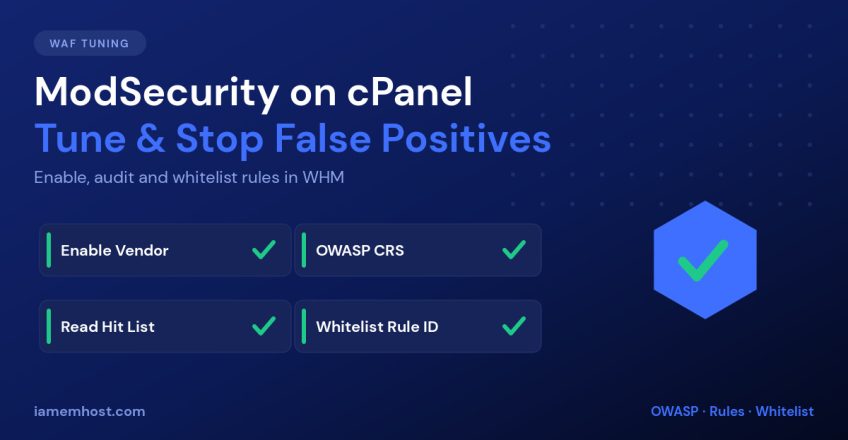

ModSecurity is the web application firewall built into cPanel/WHM, and it stops a huge amount of attack traffic before it ever reaches PHP. It also has a reputation for breaking things — blocked logins, failed file uploads, page builders that won’t save. Both are true. The difference between a WAF that protects you and one that generates support tickets is tuning. This guide covers enabling ModSecurity in WHM, picking a rule set, reading the hit list, and whitelisting false positives properly.
What ModSecurity Does
ModSecurity inspects every HTTP request — URL, headers, cookies and POST body — against a rule set, and blocks anything matching a known attack pattern: SQL injection, cross-site scripting, path traversal, command injection, malicious file uploads. Because it runs at the web-server layer, it protects every site on the server regardless of CMS, and it catches attacks against plugins you haven’t patched yet. It is a safety net, not a substitute for updates.
Enabling ModSecurity in WHM
First make sure the Apache module is installed via WHM » Software » EasyApache 4 — the package is ea-apache24-mod_security2. From the shell:
yum install ea-apache24-mod_security2 -y
/scripts/restartsrv_httpd
Then open WHM » Security Center » ModSecurity Configuration. The two settings that matter most:
- Rules Engine — set to
Onto block, orDetectionOnlyto log without blocking. Always start new rule sets inDetectionOnlyfor a few days. - Audit Log — enable it so you can see why a request was blocked. Without it you are debugging blind.
Choosing a Rule Set
WHM ships a vendor system — WHM » Security Center » ModSecurity Vendors — that installs and auto-updates rule sets for you. Never hand-edit vendor rule files; updates will overwrite them.
| Rule set | Cost | Character |
|---|---|---|
| OWASP ModSecurity Core Rule Set (CRS) | Free | The reference standard. Generic, well documented, tunable via paranoia levels. |
| Comodo WAF | Free (registration) | CMS-aware rules for WordPress/Joomla. Fewer false positives out of the box. |
| Imunify360 / Proactive Defense | Paid | Commercial rules with reputation feeds and automatic tuning. |
Enable one primary rule set. Stacking OWASP CRS and Comodo together doubles your false positives for very little extra coverage.
Reading the Hit List Before You Change Anything
WHM » Security Center » ModSecurity Tools shows every rule that fired, grouped by rule ID, with the request that triggered it. This is where tuning starts. For each frequent hit, ask one question: was this a real attack, or a customer doing their job?
You can read the same data from the shell:
# The 20 most frequently triggered rule IDs
grep -oP '\[id "\K[0-9]+' /var/log/apache2/modsec_audit.log | sort | uniq -c | sort -rn | head -20

# Full detail for one rule ID
grep -B5 -A20 'id "949110"' /var/log/apache2/modsec_audit.log | less
A rule that fires thousands of times against one legitimate site is a false positive. A rule that fires once from fifty different IPs is doing its job.
Whitelisting a False Positive Correctly
ModSecurity Tools has a Disable Rule button, which is fine for a genuinely broken rule. But disabling a rule server-wide because one customer’s page builder tripped it removes that protection from every site you host. Prefer the narrowest fix that works.
Per-domain whitelist (recommended)
cPanel supports per-vhost Apache includes. Create the rule exception for one domain only:
mkdir -p /etc/apache2/conf.d/userdata/std/2_4/USERNAME/example.com
mkdir -p /etc/apache2/conf.d/userdata/ssl/2_4/USERNAME/example.com

cat > /etc/apache2/conf.d/userdata/std/2_4/USERNAME/example.com/modsec.conf <<'EOF'
<IfModule mod_security2.c>
    SecRuleRemoveById 949110 942100
</IfModule>
EOF

cp /etc/apache2/conf.d/userdata/std/2_4/USERNAME/example.com/modsec.conf \
   /etc/apache2/conf.d/userdata/ssl/2_4/USERNAME/example.com/modsec.conf

/scripts/ensure_vhost_includes --user=USERNAME
/scripts/restartsrv_httpd
Whitelist only one URL
Narrower still — disable the rule only where it actually misfires, such as the WordPress admin editor:
<IfModule mod_security2.c>
    SecRule REQUEST_URI "@beginsWith /wp-admin/admin-ajax.php" \
        "id:1000001,phase:1,pass,nolog,ctl:ruleRemoveById=942100"
</IfModule>
Use IDs in the 1000000–1999999 range for your own rules so they never collide with a vendor’s.
Paranoia Levels and Anomaly Scoring
OWASP CRS doesn’t block on a single match. Each rule adds to an anomaly score, and the request is blocked when the score crosses a threshold. Two dials control how aggressive this is:
- Paranoia level 1–4 — level 1 is the sane default for shared hosting. Level 3+ will block legitimate traffic unless you tune extensively.
- Inbound anomaly threshold — raise it from 5 to 7 or 10 to make blocking less trigger-happy while still logging everything.
Adjusting the threshold is almost always better than disabling rules, because you keep the detection and only change the verdict.
Testing That It Works
# Should return 403 with ModSecurity enabled
curl -I "https://example.com/?id=1%20OR%201=1--"

# Confirm the module is loaded
httpd -M 2>/dev/null | grep security
Then check the audit log to confirm the block was recorded with the rule ID you expected.
Conclusion
ModSecurity earns its place on a cPanel server, but only if you tune it. Install one vendor rule set, run it in DetectionOnly for a few days, read the hit list, and whitelist false positives per-domain or per-URL rather than server-wide. Raise the anomaly threshold instead of gutting rules. Done that way, the WAF blocks real attacks quietly and your customers never know it’s there.