
A sudden spike in the Exim mail queue is one of the clearest early warning signs of a spam outbreak, a compromised account, or a mail loop on your cPanel server. Left undetected, a queue of thousands of messages can exhaust server resources, get your IP blacklisted, and cause legitimate mail to bounce. This guide provides a production-ready Bash script that monitors the Exim queue and sends an email alert whenever it crosses a defined threshold — plus instructions to automate it with cron.
The Exim Queue Alert Script
Save the following script as /usr/local/bin/exim-queue-alert.sh and customise the threshold and alert email before deploying:
#!/bin/bash
# ─────────────────────────────────────────────────────────
# Exim Queue Alert Script
# Sends an email alert when the Exim queue exceeds the threshold
# Recommended: run every 15 minutes via cron
# ─────────────────────────────────────────────────────────

THRESHOLD=300                          # Alert when queue exceeds this number
ALERT_EMAIL="admin@yourdomain.com"     # Comma-separate for multiple recipients
HOSTNAME=$(hostname -f)
SERVER_IP=$(ip -4 addr show scope global | awk '/inet/{print $2}' | cut -d/ -f1 | head -1)
QUEUE_COUNT=$(/usr/sbin/exim -bpc)

if [ "$QUEUE_COUNT" -ge "$THRESHOLD" ]; then

    # Get top senders to help identify the source of the queue spike
    TOP_SENDERS=$(/usr/sbin/exim -bp | awk '{print $4}' | sort | uniq -c | sort -rn | head -10)

    mail -s "⚠ ALERT: Exim queue has ${QUEUE_COUNT} messages on ${HOSTNAME}" "$ALERT_EMAIL" </dev/null || echo "No /etc/mailips found")

=== RECOMMENDED ACTIONS ===
1. Run: exim -bp | head -50   (view queued messages)
2. Run: exim -bp | exiqsumm   (queue summary by domain)
3. Run: exim -bpru            (show frozen messages)
4. To flush the queue: exim -qff
5. To delete all frozen messages: exiqgrep -z -i | xargs exim -Mrm

Generated: $(date)
EOF

    echo "Alert sent: queue is ${QUEUE_COUNT} (threshold: ${THRESHOLD})"
else
    echo "Queue OK: ${QUEUE_COUNT} messages (threshold: ${THRESHOLD})"
fi
Deploy the Script
Make the script executable and test it manually before scheduling:
# Save the script
vi /usr/local/bin/exim-queue-alert.sh

# Make it executable
chmod +x /usr/local/bin/exim-queue-alert.sh

# Test it manually (temporarily lower the threshold to verify it fires)
/usr/local/bin/exim-queue-alert.sh
Schedule with Cron (Every 15 Minutes)
Add the script to root’s crontab to run every 15 minutes. This gives you a fast enough response window to catch a spam outbreak before significant damage occurs:
crontab -eAdd the following line:
# Check Exim queue every 15 minutes and alert if over threshold
*/15 * * * * /usr/local/bin/exim-queue-alert.sh >> /var/log/exim-queue-alert.log 2>&1
Useful Exim Queue Commands
When an alert fires, use these commands to investigate and resolve the queue spike:
| Command | Description |
|---|---|
exim -bpc | Count total messages in the queue |
exim -bp | List all queued messages with details |
exim -bp | exiqsumm | Summarise queue by recipient domain |
exiqgrep -f sender@domain.com | Find queued messages from a specific sender |
exiqgrep -z -i | xargs exim -Mrm | Delete all frozen (undeliverable) messages |
exim -qff | Force-flush the entire queue immediately |
exim -Mvh [message-id] | View headers of a specific queued message |
exim -Mrm [message-id] | Remove a specific message from the queue |
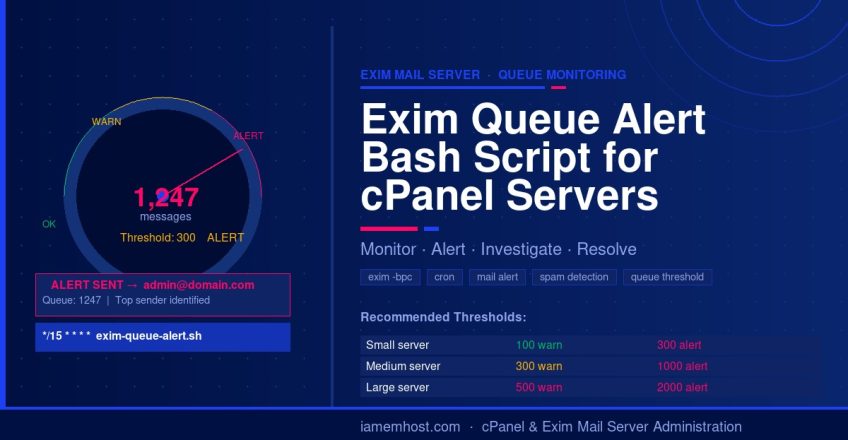
Recommended Alert Thresholds
| Server Type | Warning Threshold | Critical Threshold |
|---|---|---|
| Small shared hosting (under 50 accounts) | 100 | 300 |
| Medium cPanel server (50–200 accounts) | 300 | 1000 |
| Large cPanel server (200+ accounts) | 500 | 2000 |