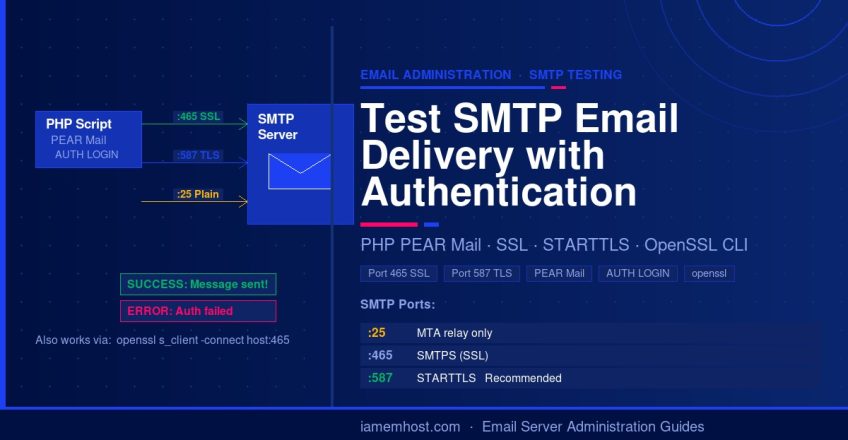

When diagnosing email delivery problems on a Linux server, you need a reliable way to test SMTP authentication and delivery independently of your mail client. This guide provides ready-to-run PHP scripts for testing SMTP mail delivery with and without SSL/TLS, plus a command-line method using telnet and openssl for when PHP is not available — all essential tools for any server administrator.
Prerequisites
- PHP installed on the server with the PEAR Mail package for the PHP method (installation guide here)
- openssl and telnet for the command-line method (usually pre-installed)
- Valid SMTP credentials (username and password) for the mail account being tested
Method 1: PHP Script with SSL/TLS (Port 465)
Use this script to test SMTP delivery over an SSL-encrypted connection on port 465 (SMTPS). This is the most common secure configuration used by cPanel mail servers and Google Workspace. Replace all placeholder values before running:
<?php
require_once "Mail.php";

$from     = "Sender Name <sender@yourdomain.com>";
$to       = "Recipient Name <recipient@remotedomain.com>";
$subject  = "SMTP Test Email";
$body     = "This is a test email sent via SMTP with SSL authentication.";
$host     = "ssl://mail.yourdomain.com";   // ssl:// prefix required for port 465
$port     = "465";
$username = "sender@yourdomain.com";
$password = "your-smtp-password";

$headers = array(
    'From'    => $from,
    'To'      => $to,
    'Subject' => $subject,
    'Date'    => date('r'),
);

$smtp = Mail::factory('smtp', array(
    'host'     => $host,
    'port'     => $port,
    'auth'     => true,
    'username' => $username,
    'password' => $password,
));

$mail = $smtp->send($to, $headers, $body);

if (PEAR::isError($mail)) {
    echo "ERROR: " . $mail->getMessage() . "n";
} else {
    echo "SUCCESS: Message sent to $ton";
}
?>
Method 2: PHP Script with STARTTLS (Port 587)
Port 587 with STARTTLS is the modern recommended port for email submission (RFC 6409). Most mail servers and all major providers (Gmail, Outlook, cPanel) support it. Use tls:// prefix instead of ssl://:
<?php
require_once "Mail.php";

$from     = "Sender Name <sender@yourdomain.com>";
$to       = "Recipient Name <recipient@remotedomain.com>";
$subject  = "SMTP STARTTLS Test";
$body     = "This is a test email sent via SMTP with STARTTLS on port 587.";
$host     = "tls://mail.yourdomain.com";   // tls:// for STARTTLS on port 587
$port     = "587";
$username = "sender@yourdomain.com";
$password = "your-smtp-password";

$headers = array(
    'From'    => $from,
    'To'      => $to,
    'Subject' => $subject,
    'Date'    => date('r'),
);

$smtp = Mail::factory('smtp', array(
    'host'     => $host,
    'port'     => $port,
    'auth'     => true,
    'username' => $username,
    'password' => $password,
));

$mail = $smtp->send($to, $headers, $body);

if (PEAR::isError($mail)) {
    echo "ERROR: " . $mail->getMessage() . "n";
} else {
    echo "SUCCESS: Message sent to $ton";
}
?>
Method 3: PHP Script Without SSL (Port 25 — Server-to-Server Only)
Port 25 without encryption is intended for server-to-server (MTA) mail transfer only, not for user authentication. Most ISPs and hosting providers block outbound port 25 to prevent spam. Only use this for testing local or trusted internal mail relay:
<?php
require_once "Mail.php";

$from     = "Sender Name <sender@yourdomain.com>";
$to       = "Recipient Name <recipient@remotedomain.com>";
$subject  = "SMTP Port 25 Test";
$body     = "This is a test email sent via SMTP on port 25 (no SSL).";
$host     = "mail.yourdomain.com";   // No ssl:// prefix for plain SMTP
$port     = "25";
$username = "sender@yourdomain.com";
$password = "your-smtp-password";

$headers = array(
    'From'    => $from,
    'To'      => $to,
    'Subject' => $subject,
);

$smtp = Mail::factory('smtp', array(
    'host'     => $host,
    'port'     => $port,
    'auth'     => true,
    'username' => $username,
    'password' => $password,
));

$mail = $smtp->send($to, $headers, $body);

if (PEAR::isError($mail)) {
    echo "ERROR: " . $mail->getMessage() . "n";
} else {
    echo "SUCCESS: Message sent to $ton";
}
?>
Method 4: Test SMTP Without PHP (Command Line via OpenSSL)
When PHP is not available or you want to test the raw SMTP conversation, use openssl s_client to connect directly. This is the fastest way to verify credentials and diagnose authentication errors:
# Connect to SMTP over SSL (port 465)
openssl s_client -connect mail.yourdomain.com:465 -crlf

# After connecting, type these SMTP commands manually:
EHLO yourdomain.com
AUTH LOGIN
# (server responds with 334 — paste base64-encoded username)
# encode with: echo -n "username@domain.com" | base64
# encode with: echo -n "yourpassword" | base64
MAIL FROM:<sender@yourdomain.com>
RCPT TO:<recipient@remotedomain.com>
DATA
Subject: Test
From: sender@yourdomain.com

Test body.
.
QUIT
To base64-encode your credentials for the AUTH LOGIN step:
echo -n "sender@yourdomain.com" | base64
echo -n "your-smtp-password" | base64
SMTP Port Reference
| Port | Protocol | Use Case | Recommended? |
|---|---|---|---|
| 25 | Plain SMTP | MTA server-to-server relay only | Not for client auth |
| 465 | SMTPS (SSL) | Legacy SSL submission | Still widely used |
| 587 | STARTTLS | Modern email submission (RFC 6409) | ✅ Recommended |